
SNES and N64 Profiles for CRT

NewHome Forums General gaming SNES and N64 Profiles for CRT

Viewing 2 posts - 1 through 2 (of 2 total)
  • Author
    Posts
  • #69750
    Kekstier
    Participant

      Hello,

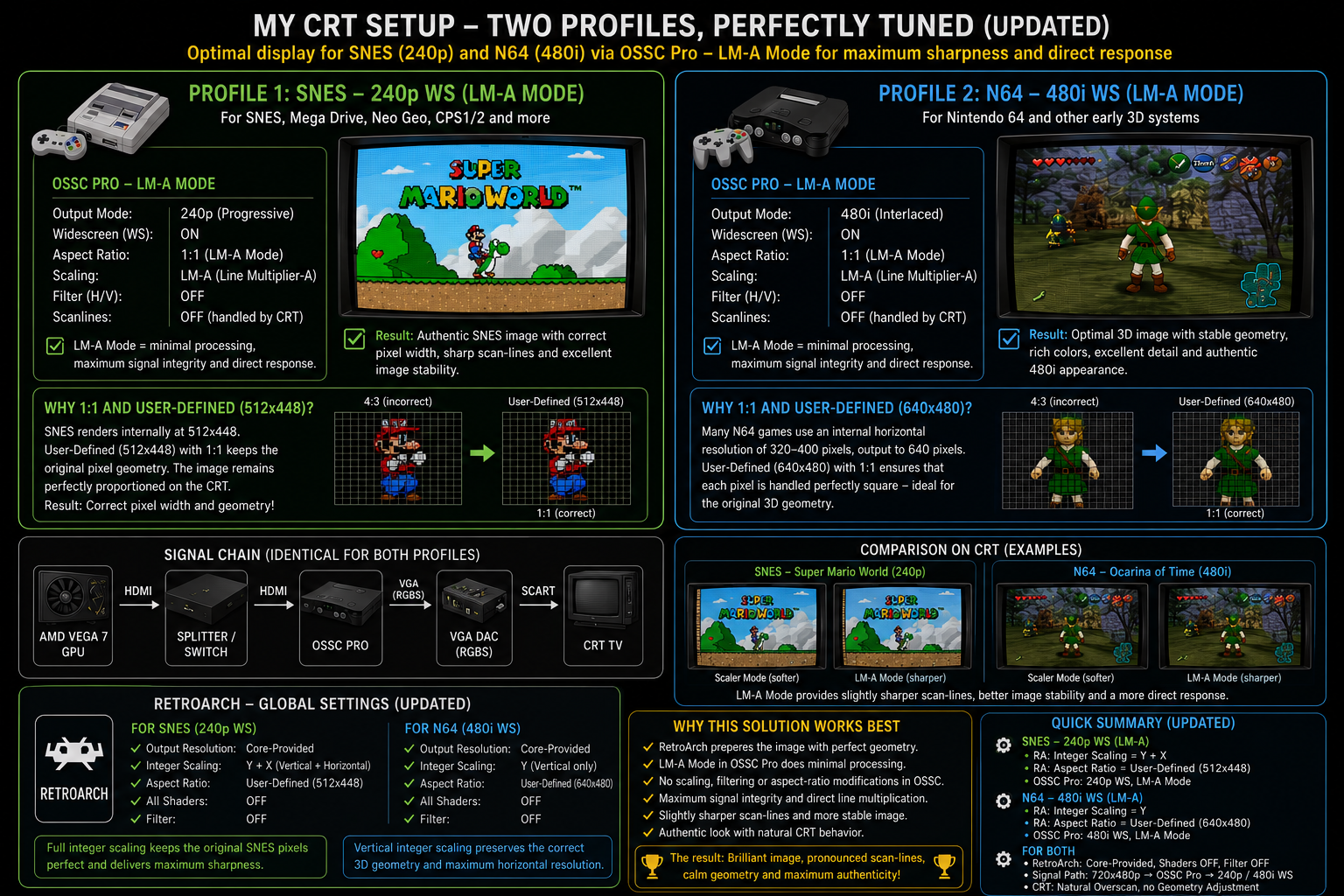
      i want to share with you my settings for emulating SNES and N64 Games to a CRT. I use RetroArch in Windows 11 Pro and the scaler OSSC-Pro. There’s is nearly pixel perfect solution (besides you drive only 480p because of hardware issues!). I use the HDMI interface / input and I have beautiful scan-lines with my consumer TV Panasonic TX W32D3F!

      1. RetroArch:
        Resolution 720 x 480p
        SNES:
        Integer Scaling (Y-Axis),
        Aspect-Ratio: Core Provided,
        Overscan-Cut = OFF,
        Core: SNES9x (2010) with NTSC setting
        N64:
        Integer Scaling (Y-Axis),
        Aspect-Ratio: Core Provided,
        Overscan-Cut = OFF,
        Core: GlideN64 with Threaded Rendering, LOD = OFF
      2. OSSC-Pro:
        SNES:
        HDMI: Limited Color space,
        Scaler-Mode: Resolution=240p, Framelock = ON, Aspect-Ratio = 8/7, Algorithm = Nearest, Deinterlace = Weave,  240p-Mode = NES / SNES 256 Cols,
        Output: Limited Color space,
        Timings for Scaler and Output: Default
        N64:
        HDMI: Limited Color space,
        Scaler-Mode: Resolution=480i, Framelock = ON, Aspect-Ratio = 1/1, Algorithm = Nearest, Deinterlace = Weave, 480i-Mode = N64 640 Cols,
        Output: Limited Color space,
        Timings for Scaler and Output: Default

      I use a VGA as a Bridge (AV VGA Extension, RetroUpgrades VGA-SCART Adapter with Combiner) to send full/limited RGB to the RGB-ready TV…


      • This topic was modified 23 hours, 12 minutes ago by Kekstier.
      • This topic was modified 23 hours, 12 minutes ago by Kekstier.
      #69756
      Kekstier
      Participant

        Zusammenfassung_SNES_N64_Setup

      Viewing 2 posts - 1 through 2 (of 2 total)
      • You must be logged in to reply to this topic.
