
Struggling to get OSSC Pro to display video over component – Downscaling
NewHome › Forums › OSSC, OSSC Pro and DExx-vd isl › OSSC – Discussion and support › Struggling to get OSSC Pro to display video over component – Downscaling
Tagged: help
- This topic has 23 replies, 5 voices, and was last updated November 22, 2026 at 4:02 AM by
SubparHans69.

-
AuthorPosts
-
November 2, 2026 at 1:06 AM #71104
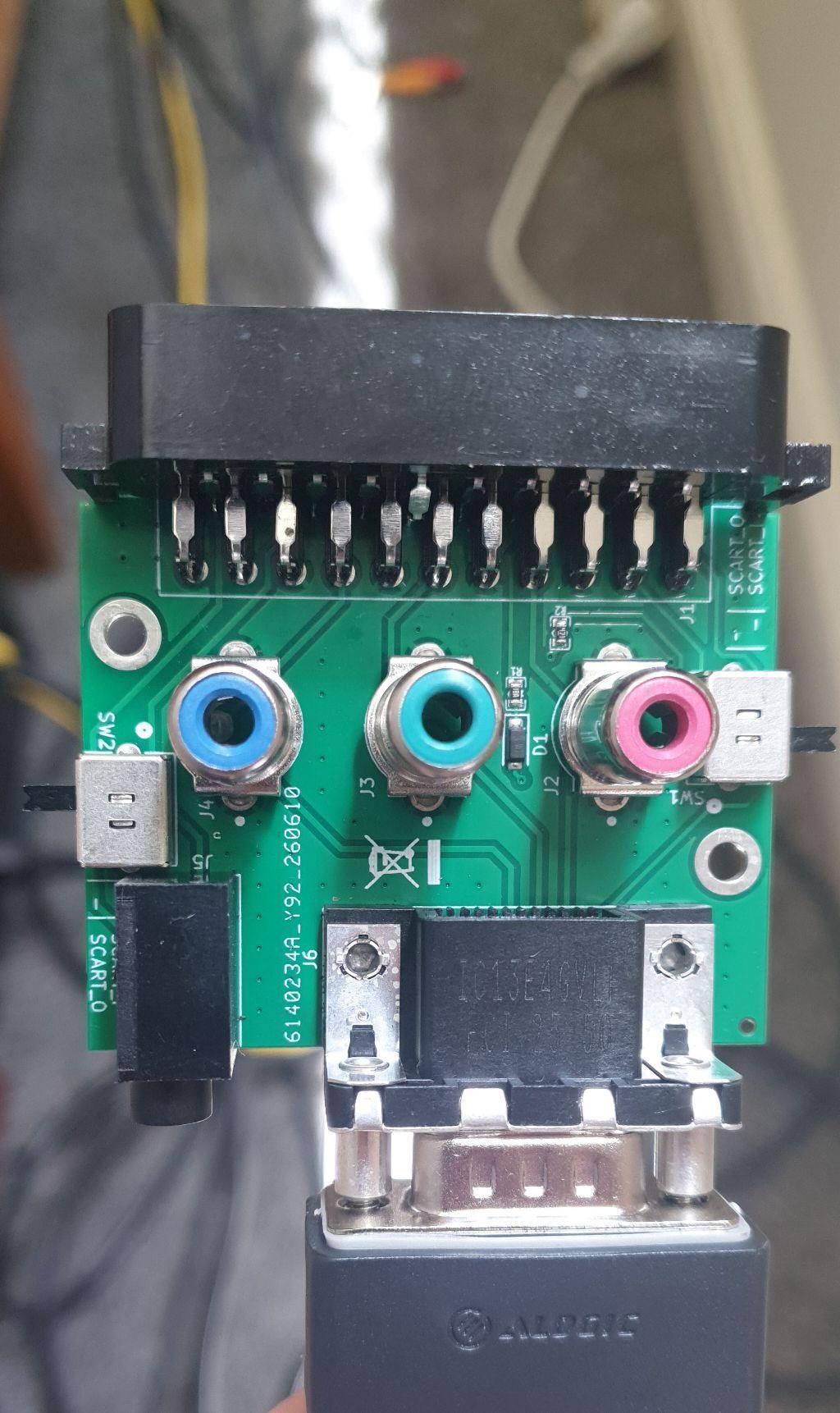
Also sorry to double-post but here is what the AV 1.3 looks like without the plugs. Not sure if this will add any extra context but I thought I’d include it just in case.November 2, 2026 at 10:08 AM #71108When testing connecting the component luma signal to a composite input, you only need to make sure the OSSC Pro outputs in 480i.
The result should be a black-and-white but stable and reasonably bright picture. If so, there’s likely a problem with the component input on the TV.
November 2, 2026 at 7:33 PM #71119Since you seem to have Extra AV board with composite output, you can also try connecting that to composite and component (Y/green) inputs of the TV using your existing RCA cable. Just remember to switch into matching output mode in Extra AV out opt under Expansion menu and select 480i/576i test pattern mode.
November 6, 2026 at 2:51 AM #71178Okay update. New cables arrived. Component is still the same weirdness as I kind of expected. I managed to hook up composite and that seems to work. I had to output from PC to 59.94hz instead of 60hz and that worked. I will have a play around at a later date to attempt to get component working but I do have an OLED I can use for a “clearer” image or I can try to hunt down a PC monitor for a more HD image. In other words, I will probably deem this as solved. Thanks for all the help guys. I may come back in the future if I have further issues or if I want to try and get component working.
-
This reply was modified 2 weeks, 3 days ago by
-
This reply was modified 2 weeks, 3 days ago by
November 6, 2026 at 3:14 AM #71180Also could the issue be to do with what signal I am sending to OSSC from my computer? Thanks for the help.
I think, either the OSSC Pro or the AV-Extension are damaged, the settings are the issue …
480p, 720p, 1080p are would take from the device! OSSC Pro also accepts PAL signals… Look at the OSSC Pro Wiki to find the issue himself:
https://junkerhq.net/xrgb/index.php?title=OSSC_ProNovember 6, 2026 at 3:17 AM #71182Some monitors/TVs accept only the old NTSC standard with fix 59.94 hz instead of “modern” 60 hz… so just fine, you find the issue! Use Component over the AV-Adapter, my advise!
November 6, 2026 at 3:23 AM #71183My guess is AV 1.3 is damaged or component circuitry/capacitors are damaged in the TV. The image was stuffed due to capacitors having wrong values because some clown tried to “repair” it before I got my hands on it. I may wait a bit and buy a cheap component converter simply to test the component input (or get a second hand DVD player). From there I can further nail down whether it is due to AV or component input itself. Before that I may have another go at component via OSSC pro! Thanks 🙂
-
This reply was modified 2 weeks, 3 days ago by
November 6, 2026 at 10:21 PM #71190You can already try connecting composite to Y-channel of component input to identify whether your TV or the expansion is broken.
November 22, 2026 at 4:02 AM #71383<p>I tried connecting composite to the component input and it gave those weird lines on the screen. The issue is possibly to do with the TV circuitry which isn’t ideal. I may eventually try and fix it in the future but most likely I may just get a new CRT honestly if I am that fussed. For now, composite is perfectly fine. Appreciate everyone’s help in narrowing down the issue.</p>
-
This reply was modified 1 day, 11 hours ago by
-
This reply was modified 1 day, 11 hours ago by
-
This reply was modified 2 weeks, 3 days ago by
-
AuthorPosts


- You must be logged in to reply to this topic.
