
JabuJabu

@jabujabu
Forum Replies Created
Viewing 4 posts - 1 through 4 (of 4 total)

Viewing 4 posts - 1 through 4 (of 4 total)
Mmmmh I tried but nothing does what I wanted to. I’m pretty sure the “issue” is the console being a PAL one so nothing much to do. But thanks for the tips 🙂
Trying to understand: so it’s just your ps2 connected to the samsung tv via OSSC not working?
Hey thanks for the reply. I tried, 5x won’t work at all in any way possible. Instead with a lower 2x using the 512/256×240 reso also won’t change the actual size of the picture. So it will still be like in the first picture o posted but in lower detail.
I tried a modded PAL switch and a part that it won’t read some PAL games at all unfortunately, it’s not making PAL games run at 60hz and therefore resolution is also the same. So i’m guessing the only thing to do is to get a NTSC SNES to make this up. But I could see the difference between the 1 chip and 2 chip SNES. 1 chip is much brighter and doesn’t have ghosting.
Thanks for the reply. The monitor is 60hz of course but i’m pretty sure it supports 50hz as it shows from the OSSC. But if you mean the combination 1600×1200 and 50hz output of the SNES then i see. Let me show you 3x what looks like and let me know if you think then the problem could be the SNES PAL model itself or then maybe monitor. What do you mean by weird? In what terms? Just to understand.
This is the best it can get in 3x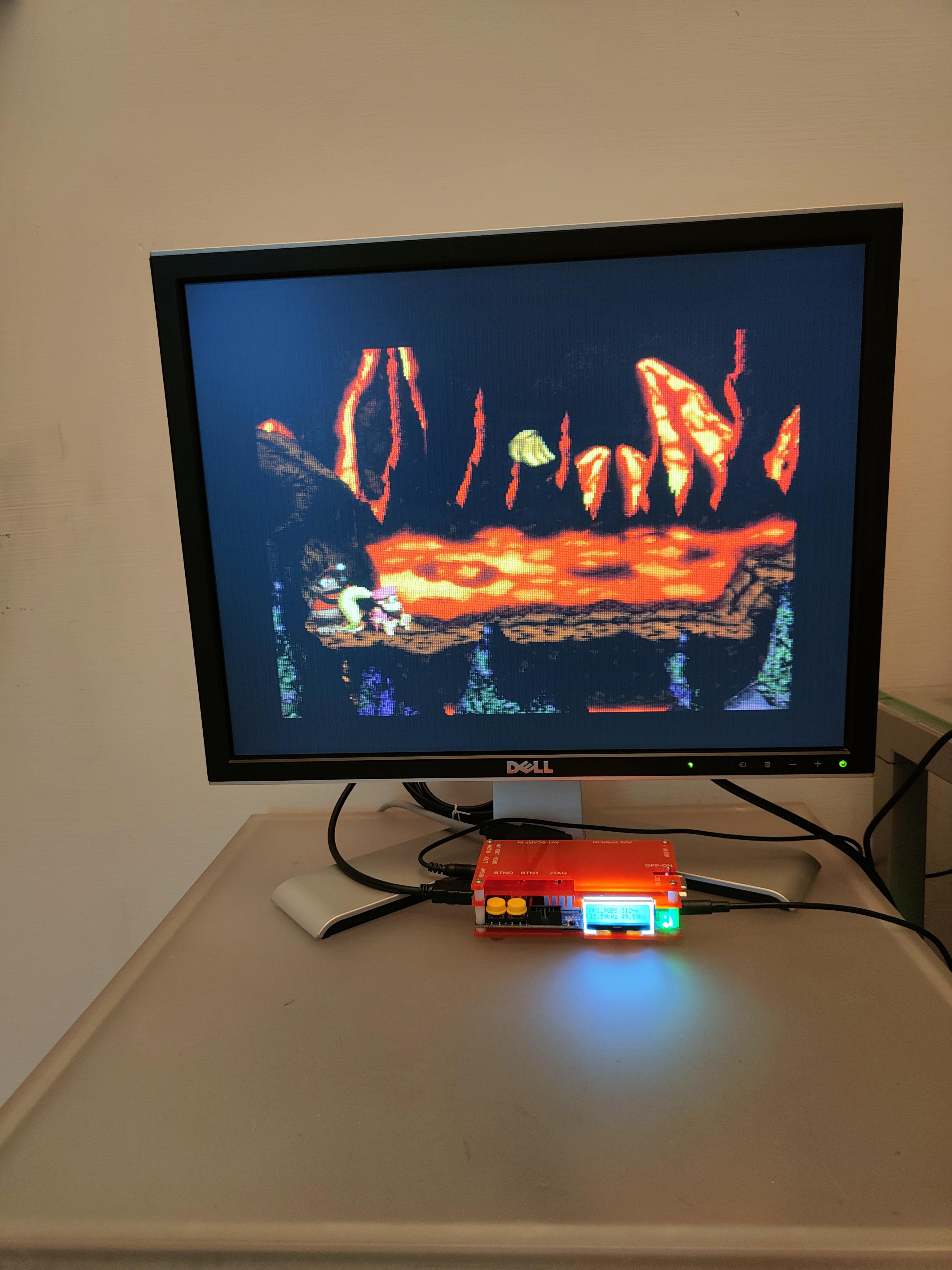
And this instead is aspect 1:1 with 4x at 256×240. 4x still looks much better.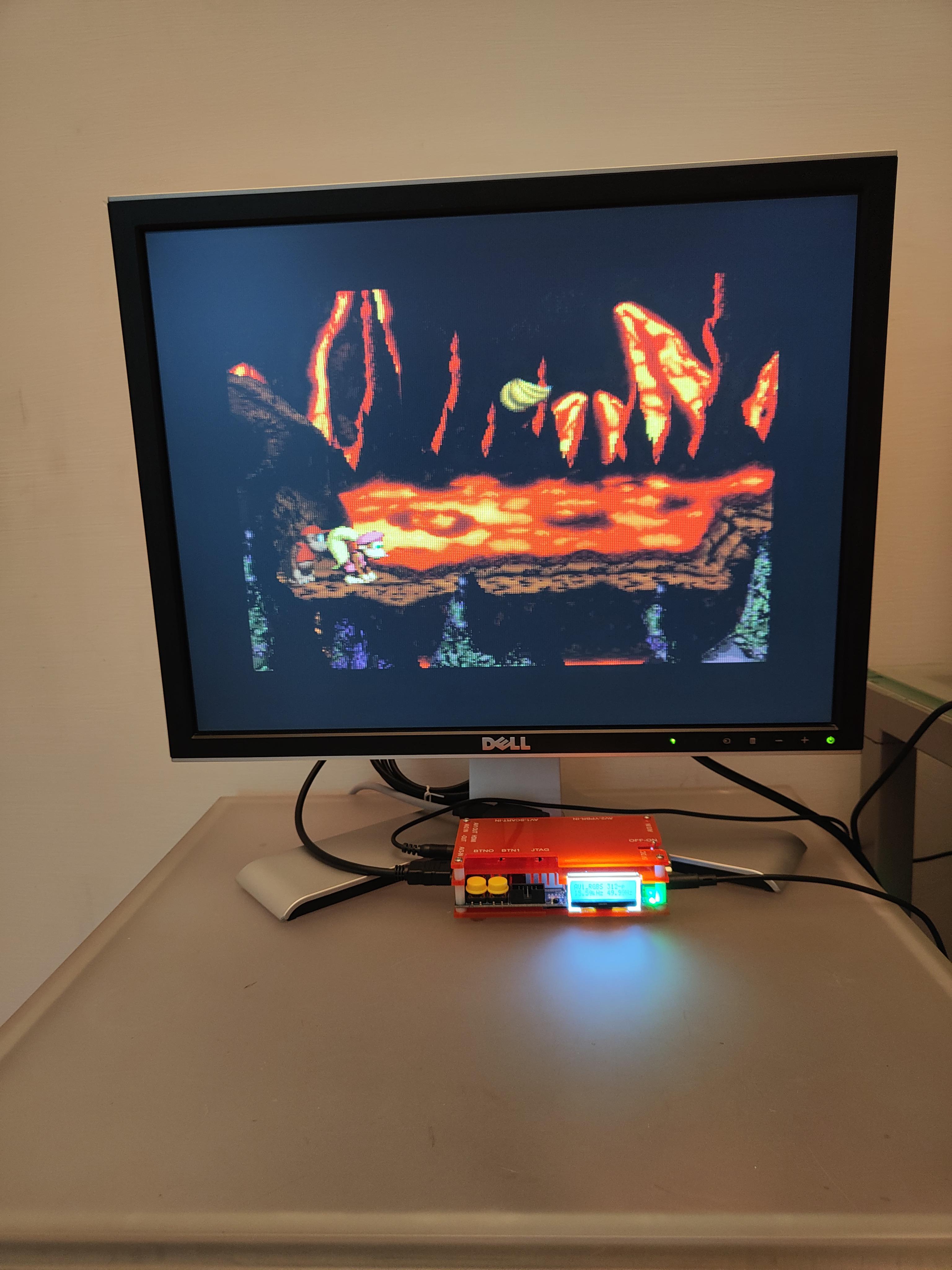
The image shown in the original post i think was still a 4x 320×240 which is a pseudo 4:3 i think… In any case if i put a resolution of 256×240 I can only get 1:1 aspect ratio or Pseudo 4:3. Any idea? Thanks a lot
| Cookie | Duration | Description |
|---|---|---|
| _gat | 1 minute | This cookie is installed by Google Universal Analytics to restrain request rate and thus limit the collection of data on high traffic sites. |
| Cookie | Duration | Description |
|---|---|---|
| __gads | 1 year 24 days | The __gads cookie, set by Google, is stored under DoubleClick domain and tracks the number of times users see an advert, measures the success of the campaign and calculates its revenue. This cookie can only be read from the domain they are set on and will not track any data while browsing through other sites. |
| _ga | 2 years | The _ga cookie, installed by Google Analytics, calculates visitor, session and campaign data and also keeps track of site usage for the site's analytics report. The cookie stores information anonymously and assigns a randomly generated number to recognize unique visitors. |
| _gid | 1 day | Installed by Google Analytics, _gid cookie stores information on how visitors use a website, while also creating an analytics report of the website's performance. Some of the data that are collected include the number of visitors, their source, and the pages they visit anonymously. |
| Cookie | Duration | Description |
|---|---|---|
| IDE | 1 year 24 days | Google DoubleClick IDE cookies are used to store information about how the user uses the website to present them with relevant ads and according to the user profile. |
| test_cookie | 15 minutes | The test_cookie is set by doubleclick.net and is used to determine if the user's browser supports cookies. |
| Cookie | Duration | Description |
|---|---|---|
| ct_checked_emails | session | No description |
| ct_has_scrolled | session | No description |
| ct_mouse_moved | session | No description |
| ct_screen_info | session | No description |
| wordpress_apbct_antibot | session | No description |
| wp_woocommerce_session_9cc3598a6315be16da4f85bb374cf6a5 | 2 days | No description |
