
NJRoadfan

@njroadfan
Forum Replies Created
-
AuthorPosts
-
I don’t recall a problem with vertical lines, just the interlace detection. I’m using the Commodore 390682-03 adapter, which re-generates H+V sync from the composite sync signal as opposed to directly using the H and V sync signals (pins 11 and 12) from the DB-23 port. This specific adapter is needed with the Video Toaster since the H and V sync lines become useless when genlock mode is activated on the Amiga.
The normal 390682-01 is a simple buffered sync adapter. It uses a 74HCT08 to double invert the lines.
New one for the list
Vizio E470VLE
This is a 47″ 1080p LCD that features separate RCA inputs for audio with HDMI connection and has a game mode under picture settings.
240p passthru: Yes (detected as 1440×240)
Line2x: Yes
Line3x: Yes
Line4x: Yes
Line5x: NoAll the above was tested with a SNES as the output source. No glitches or judder! I didn’t have time to troubleshoot why Line5x was working. There was no noticeable input lag when tested in Line4x mode with game mode turned on.
Lindy devices are usually re-branded Cypress products. Part of the problem with modern converter boxes is that they are plain old analog-to-digital-analog convertors that assume 480i video. The “best” solution would be a completely analog circuit, like what was found on old TVs (prior to jungle ICs) to convert CVBS and S-Video to RGB for the guns.
Has anyone tried this adapter to see if it adds lag or handles 240p video properly(ie: doesn’t output everything as 480i)? At least it doesn’t appear to upscale video. Its a Cypress product, which are known to screw up in stupid ways.
https://www.amazon.com/Composite-Video-Component-Format-Converter/dp/B01EK7YJJG
Some tweaking got the below results.
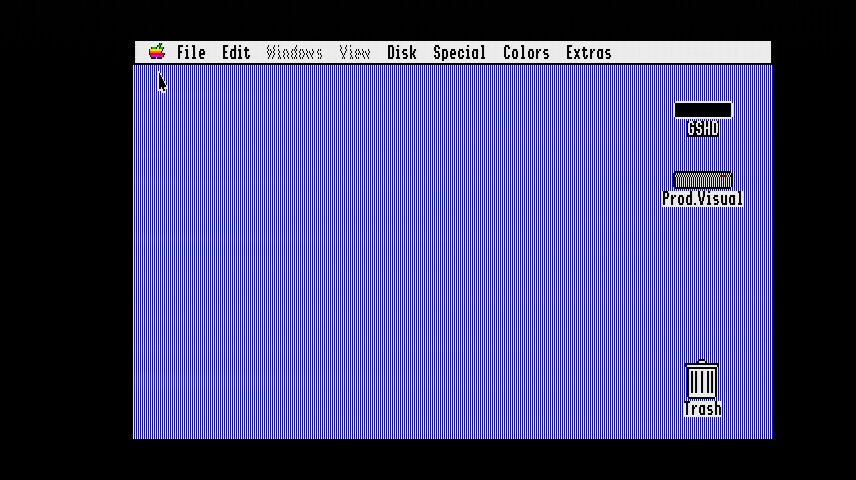
I’m still getting some noise in the image that evident in the above (minor flickering), but its close enough. No clue if its the machine itself producing the noise. Right now the IIgs is connected to AV3, which lacks the LPF, so there is still the possibility to improve the image further.
The OSSC was in Line4x mode when I took the still, looks like photobucket resized the damn image! It doesn’t matter what mode its in, even 240p pass-thru, I still get the beat pattern. Turning off ‘Allow TVP HPLL2x’ doesn’t seem to have any effect. The display shows 261p, 15.69khz, 60.14Hz. My capture card shows no artifacts with a horizontal samplerate of 852 pixels active when I do a direct analog capture with it (hence the wide image resolution and no scan doubling, I doubled the height from 240 lines to 480 lines in post). The OSSC’s 240p mode defaults at 858 for the H. samplerate in Line2x mode.
This is what the IIgs looks like connected via the OSSC, note the beat pattern on the blue desktop background.
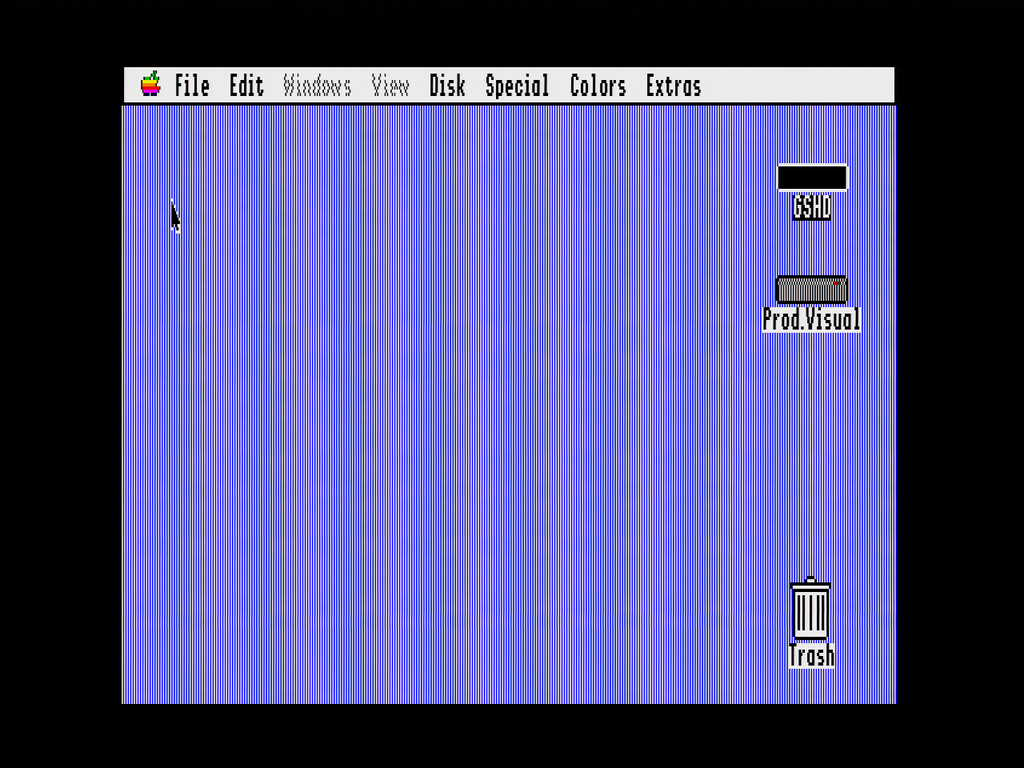
Direct link to image as the forum is resizing the above: http://i820.photobucket.com/albums/zz122/njroadfan/DVI2PCIe/IIgs%20640%20OSSC_zps3objcane.png~original
Playing with the advanced timing settings just increases or decreases the frequency of the beat pattern on the desktop background and never completely eliminates it. The Apple IIgs is connected to the OSSC via the VGA port (AV3).
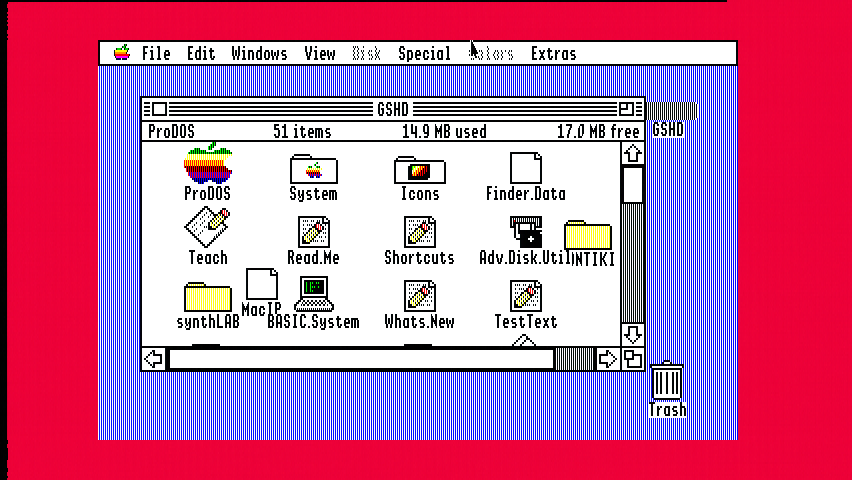
This is what it is supposed to look like via a direct capture from my capture card (an emulator will produce similar results). The background consists of 1 pixel wide blue and white vertical lines to create a dithered periwinkle color.
Guess I’ll have to connect the Amiga up via SCART/AV1 then. No big deal.
Wonder if connecting to AV1 will solve my Apple IIgs image woes too, although that might be a chip limitation too.
I am also having a similar problem with the Amiga and interlaced modes running 0.76. The unit rapidly switches between something like 242p and 243p instead of displaying 625i. Switching between inputs usually clears up the problem. I must note that I am connecting via the VGA input (AV3) using the Commodore monitor adapter, which uses H+V sync as opposed to composite sync.
Displays
Samsung UN50H5203AF (50in 1080p TV) Supports all output modes (including 240p passthru) and SNES.
Samsung Syncmaster 930MP (19in 1280×1024 TV/monitor) Supports Line2X, Line3x, Line4x and SNES.
Samsung Syncmaster 940MW (19in 1440×900 TV/monitor) Supports Line2X, Line3x, Line4x and SNES.
HP LP2475w (24in 1920×1200 computer monitor) Supports Line2X, Line3x, Line4x. SNES mostly works, but the display is unstable. Surprised that Line5x doesn’t work at all. When it works, the display is fantastic.Source Devices
Apple IIgs Works out of the box, but Line4x and Line5x are recommended for 640×200 mode. Needs manual timing for pixel perfect output. There is noise on the output (weird shimmering) when using the AV3 input and displaying 640×200 video. My TV’s sharpness function filters most of it out though. I don’t have a SCART cable for the IIgs to test, but I bet the LPF on AV1 will filter out the interference as well.Amiga 4000 with Video Toaster Works out of the box using advanced timings found here on the forum. The biggest problem I had was getting the OSSC to switch into interlaced mode when the machine switched output. The OSSC would stay in 240p mode, but would usually detect interlaced mode when I switched between inputs. I suspect the official Commodore DB23 to HD15 adapter is to blame. This adapter has a sync seperater in it and outputs true H+V sync. The OSSC might not properly detect interlaced signals on AV3 when using H+V sync.
Capture Cards
AVerMedia HD DVR (C027) Works with Line2x mode via HDMI input and with SNES. Line3x was hit or miss (usually miss).
Epiphan DVI2PCIe Works with all output modes and SNES. -
AuthorPosts

