paulb_nl

@paulb_nl
Forum Replies Created
-
AuthorPosts
-
App is updated for v1.21
It was in the release notes of v1.20 that you need to format the SD card to FAT32/exFAT for profiles or changing firmware.
From that version it does not support the method of Win32DiskImager anymore.
-
This reply was modified 8 months ago by
paulb_nl.
I added support for the OSSC Pro but it is a separate app. Some things are not included in the profile. For example custom scaler and shadow masks, also some timings for HDMI input and Legacy AV input.
I made some changes to hopefully make it easier to work with up to 100 profiles.
Versions included are 0.79 and 0.81. The profile bin files for 0.80 should be able to be imported on version 0.81 but 0.79 has different content for AdaptiveLM/Scaler video modes and Sampling presets so those need to be imported on 0.79.
Link:
https://pbnl.byethost7.com/ossc/profiles/pro/
Sources are added to the first post. I will try to keep those updated.
It took a while because the new format is very different but the editor has now been updated for version 1.20. Let me know if it works.
If someone can post a prof.bin file from the Pro then I can look into adding support for the Pro as well.
I was not aware that a new firmware was released. The profile editor is updated now to support 1.12.
Let me know if it works properly.
Thanks @FallingLuma, I used your 1.11 file to update the app.
It is just Javascript so you should be able to run it locally although you might have some issues with downloading the profiles.bin file.
Here are the sources:
https://pbnl.byethost7.com/ossc/profiles/src/ossc_web_20240621.zipI have updated the Profile editor to v1.10 but I did not try to import a profile on the OSSC.
Please try it and report back.
Apparently the R.V.B adapter that comes with the French Master system is an RGB cable.
Try to adjust the Analog sync Vth value in the Sync opt menu.
are the resuls with Analog STC LPF set to 0.5MHz (SDTV)?
Yeah I have tried changing every sync setting but there was no improvement.
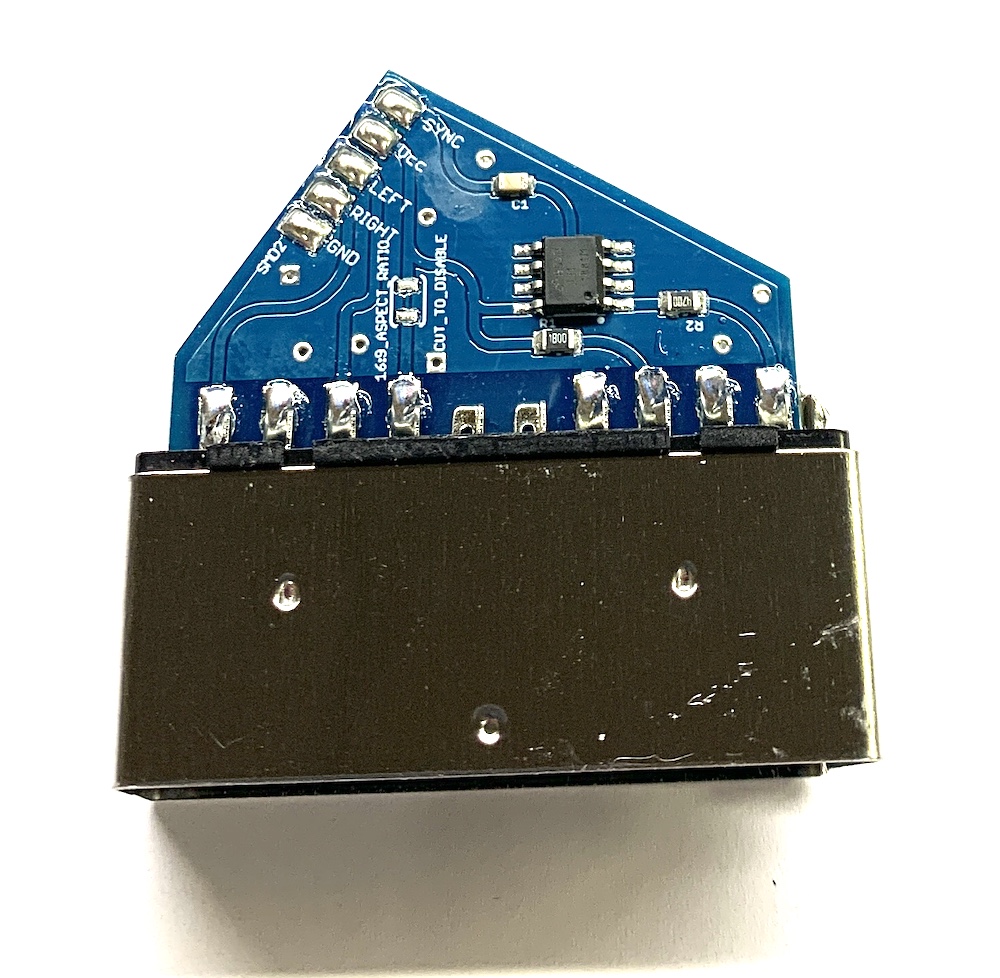
Also, could someone take a picture of the LM1881 circuit built into the cable? If it’s not done properly (e.g. missing termination on input), it can do more harm than good
On pictures the cables with sync stripper on the SCART end don’t seem to terminate on input. Here is an example: https://www.retrogamingcables.co.uk/image/catalog/EU-8%20CSYNC%20SCART%20with%20LM1881.JPG
With the Universal SNES cable I measured around 75 Ohm to ground at the console end of the cable.
OSSC works fine with Csync. This specific problem is 1-CHIP SNES with sync stripper in the cable.
The NTSC 1-CHIP SNES has native Csync so the cable doesn’t have a sync stripper and it has no problems.
Most likely the Retrotink is more resilient against bad sync than OSSC.
I have some different cables to test:
- Composite video to AV2: Needs Analog sync Vth at 214mV for stable sync.
- RGB cable with Luma sync: Needs Analog sync Vth at 214mV for stable sync.
- Universal SNES cable with sync stripper on Composite video: Always loses sync
It appears the sync stripper in the cables is not able to process the malformed sync signal on Composite Video/Luma from the 1-CHIP SNES consoles. Profile load hotkey didn’t change anything.
With a non 1-CHIP console there is no issue at all.
January 6, 2021 at 9:22 PM in reply to: OSSC & GB Player/GBI 240p, official component, solution to color “smear”? #44247Which GBI are you using? You should be using GBI High Fidelity for no chroma subsampling.
Set Video LPF around 16 or 30MHz.
If you were able to write the OSSC firmware with Etcher then it should also work with the profiles. Although I have never used Etcher the contents of the file should not matter at all.
It appears version v1.5.112 of Etcher was released today which might fix it. Otherwise try an older version.
Nice work Ari. I have tried it and it worked fine.
-
This reply was modified 8 months ago by
-
AuthorPosts