


Bliss-Box 4-Play Advanced
€108.00
€128.52 incl. VAT
VAT inclusive price is estimated based on the geolocation of your browser and may be subject to recalculation at checkout. What's VAT?
18 in stock
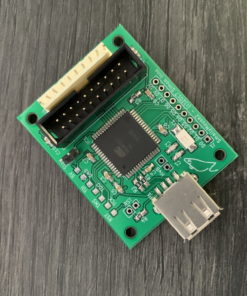
VideogamePerfection.com is now proud to be the official European Union distributor for the 4-Play Advanced controller adapter kits (customers in the USA can purchase them here).
The 4-Play Advanced is the eagerly awaited four player version of the Gamer Pro Advance. Just like the original 4-Play adapters, the 4-Play Advanced connects to a single USB port and provides four ultra low latency game controller ports, fully compatible with the Bliss-Box/BlisSTer adapter cables. The device is ideal for anyone running emulators on their PC, Android or other USB compatible device. The unit works with Windows, Mac, Linux, PS3, MiSTer or most USB capable devices, with almost any controller of your choosing.
Spruce up your gaming nights and let all your friends use their preferred controller with the 4-Play Advanced adapter. Use the authentic controller with your favourite emulator, or play your favourite retro or modern indie titles with your favourite classic controller.
This advanced adapter is the new evolution of Bliss-Box adapters and the follow up to the extremely well received classic 4-Play adapter. The new Advanced device uses a faster chipset and also has a hardware controlled USB interface and XInput support. This all means better performance, wider software compatibility and less input lag (on a device that was already known for being low latency!)
The 4-Play Advanced is compatible with all cables and connectors designed for the original Gamer Pro, BlisSTer and 4-Play. Please note this kit does not include cables, please browse our range of cables here.
4-Play Advanced features
- Compatible with all existing 4-Play/GP/Bliss-Box/BlisSTer adapter cables
- XInput and HID support
- Fixed USB 1MS poll rate
- USB 2.0 high speed
- True Force Feedback ready
- No rumble fix needed!
- Seamlessly replaces the 4-Play classic, no new software required
- Switch between Xinput/HID by dip switch on rear (no need to disassemble the unit as with the GPA)
The new features explained
XInput support – XInput is a new controller API many operating systems are using to provide robust game controller support. Although it is somewhat limited compared to HID, it is more widely recognised, with many modern PC games supporting it out of the box. Using the adapter in this mode will depreciate some functionality, since XInput is less capable. For example, XInput has less buttons and less analogue controls. Some controllers, such as the PlayStation 2, can use pressure buttons and also use all 8 analogue inputs of HID, so here XInput will fall short. With XInput there is also no API integration.
To enable XInput mode you simply flick the switch on the back of the unit. Each input can have Xinput/HID toggled individually.
Fixed 1MS Poll Rate – The 4-Play Advanced will update the host every 1MS. This is faster than many controllers, so input lag is not caused by the unit but rather the controller itself. In many cases additional research was done to force controllers to poll faster than intended and all of this data was captured. Very few controllers could poll faster than 1MS.
USB 2.0 – The original GP was USB 1.1, GPA is USB 2.0. USB 3.0 was considered but did not have any advantage in this case, so USB 2.0 was chosen.
Hardware USB driver – Dolphin emulator crashing and the rumble slowdowns are gone now. This will also make rumble a bit more realistic.
Seamlessly replaces the 4-Play Classic – If you are upgrading from the original 4-play simply plug and play your new 4-Play advanced. You do not need to make new Retro Arch map files or worry about changing or updating button layouts. You do not have to download new software or learn new features. The device acts in the same way but performs better. Note that the 4-Play Advance uses its own firmware (the same firmware as the GPA) and can be flashed with the API tool or new stand alone flasher.
Cable Compatibility
The 4-Play Advanced is 100% compatible with the same controllers and cables as the Gamer Pro/4-Play. There were no exceptions and even some improvements. The aim remains the same, any controllers submitted to Bliss-Box will be added to the device.
What about different cables?
You can purchase additional cables here:-
- Gamer Pro DB9 (Atari, Commodore, Sega Megadrive etc) Cables
- Gamer Pro Dreamcast Cables
- Gamer Pro Gamecube Cables
- Gamer Pro Jaguar Cables
- Gamer Pro N64 Cables
- Gamer Pro NES Cables
- Gamer Pro PC-Engine Cables
- Gamer Pro Pippin Cables
- Gamer Pro PlayStation Cables
- Gamer Pro Saturn Cables
- Gamer Pro SNES Cables
- Gamer Pro TurboGrafx-16 Cables
- Gamer Pro Vectrex Cables
- Gamer Pro Wii Cables
Technical support and updates
Instruction manuals for the 4-Play Advanced are available to view online here.
Firmware updates can be downloaded here. Be sure to choose “GPA” rather than “4-Play and Gamer Pro”. See the instruction manual for details on how to update the firmware.
Community based technical support is available at the Bliss-Box forum. You can also contact Bliss-Box directly for 1 to 1 technical support.
| Weight | 150 g |
|---|---|
| Country of Origin | CN |
| hscode | 9504500000 |
| Customs Description | Videogame controller adapter |
Be the first to review “Bliss-Box 4-Play Advanced”
Related products
Game controllers, adapters & cables
€40.00
€47.60 incl. VAT
Bliss-Box & BlisSTer
€9.00
€10.71 incl. VAT
Bliss-Box & BlisSTer
€9.00
€10.71 incl. VAT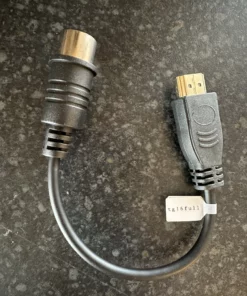
Bliss-Box & BlisSTer
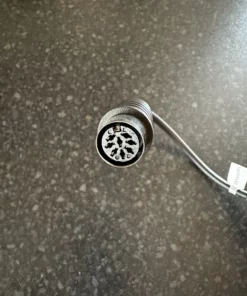
Bliss-Box & BlisSTer TurboGrafx-16 Adapter Cable (large type)
€9.00
€10.71 incl. VAT
Bliss-Box & BlisSTer
€45.00
€53.55 incl. VAT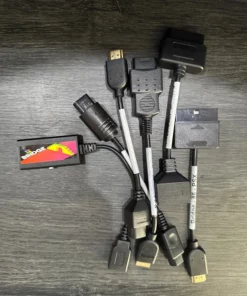
Bliss-Box & BlisSTer
€9.00
€10.71 incl. VAT
Bliss-Box & BlisSTer
€9.00
€10.71 incl. VAT
Bliss-Box & BlisSTer
€9.00
€10.71 incl. VAT
Reviews
There are no reviews yet.