|
|
|
OSSC Newsletter Issue 25 – RF expansion cards, Classic updates & budget downscaling!
|
| Hi,
Greetings video scaler fan! It’s been a while since we did one of these newsletters and since so much has changed with OSSC Pro and Classic, we thought it might be high time we sent one out, so here it is, an old school e-mail newsletter just for you, we hope you enjoy it! |
OSSC Pro legacy AV in with RF, now in stock
First and foremost, the main reason for this newsletter is to announce that the OSSC Pro legacy AV in boards are back in stock. Not only are they back in stock but, for the first time you can now buy a board with RF input too.

The plan was always to add RF input to the legacy AV input card, however it has taken considerably longer than anticipated to finalise the design. The newest design of the card has been engineered to eliminate as much noise as possible. Please note that for best results, you should use the expansion card with an uprated cable, we recommend an RG6 Coaxial Cable (such as the one sold here) in whatever length you need. If you use the old RF cables that came with your console, expect to see some extra noise on top of what’s inherently present in the RF signal. Even if the old RF cable works just fine with your old CRT, using an uprated cable with the OSSC Pro will give a significantly better result.
We appreciate that some legacy computers/consoles have hard wired RF cables and in that instance you will have to connect them directly and unfortunately there’s no way around that. Markus really did try VERY hard to get the noise as low as possible and using these uprated cables is a necessity wherever possible.
Of course, RF is an inherently noisy signal in the first place so there is only so much we can do with it, especially blown up and scaled to a modern fixed resolution display. Here’s a screenshot from Atari Jaguar “classic” Cybermorph as an example (click here to see a bigger version).
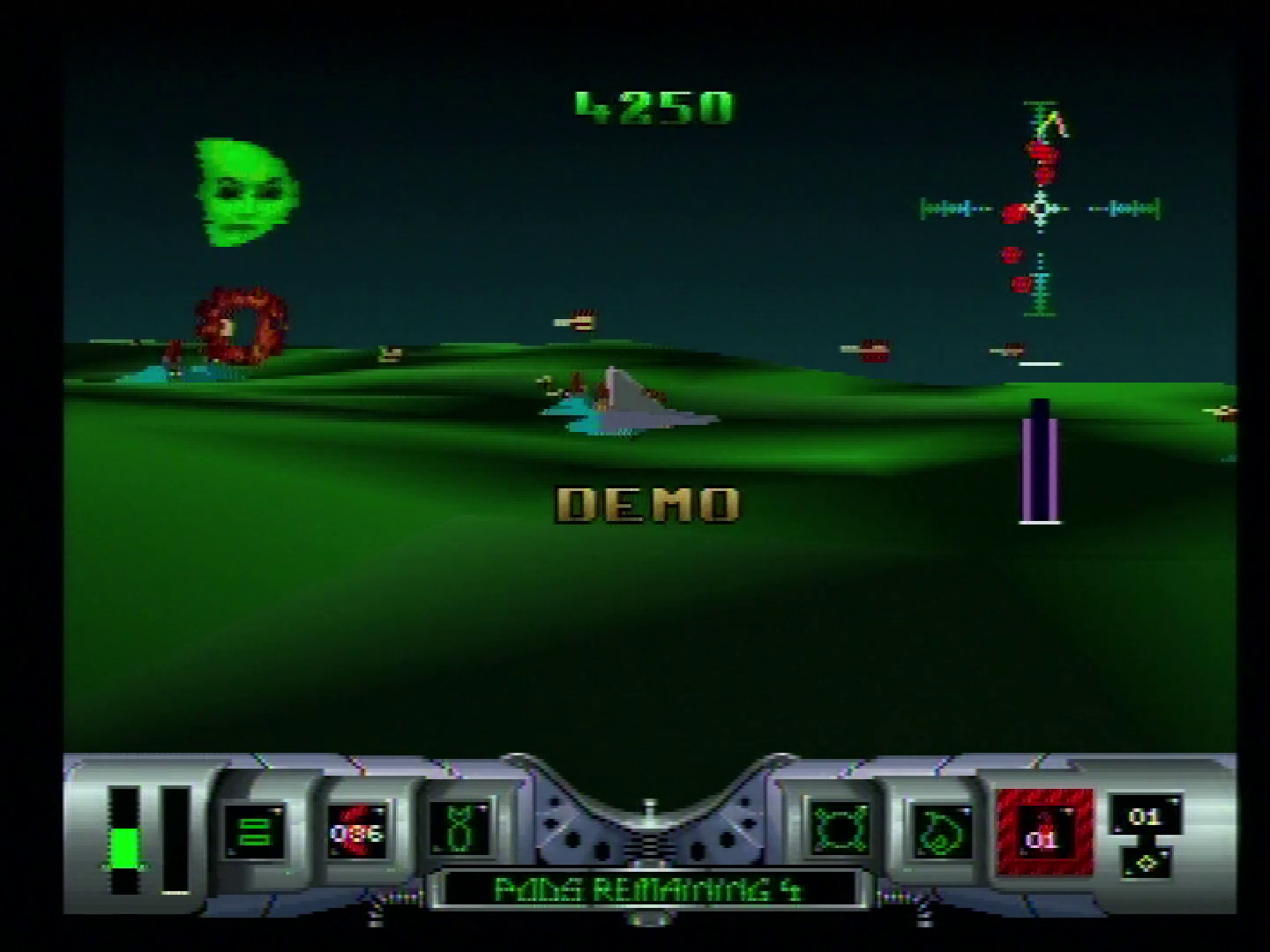
The card supports PAL, PAL 60 and NTSC inputs, allowing legacy consoles and computers from all around the world to be connected. OSSC Pro is the only next generation scaler to offer this functionality and this is likely to be the case for quite some time. The RetroTINK 4K/4KCE has no expansion port so no practical way to add RF. The PixelFX Morph 4K could hypothetically add it in the future, but to date there has been no announcement that it’s even in development.
If you need a way to play those antique, RF only systems without having to own a bulky CRT then grab yourself a Legacy AV in with RF expansion card here. |
|
OSSC Pro next batch delayed
It’s not all good news this month as unfortunately the next batch of OSSC Pro is going to be delayed slightly, probably until Q2 2026. The reason for this is, bizarrely, the IR receiver. For whatever reason the particular model of infra red receiver we had been using in the OSSC Pro has been discontinued, so a replacement had to be found, tested and the board changed slightly to accommodate it.
We’re already well under way with this process but of course it has had a knock on effect and has held up production. Current stocks of OSSC Pro are now running quite low, so, if you need one urgently you shouldn’t hesitate any longer. If you miss out, sit tight as more stock is definitely on the way, there is no reason to entertain scalper prices.
OSSC Pro profile pack released
A pack of optimised profiles for the OSSC Pro has been put together by Youtuber Wobbling Pixels. Full instructions and a download link can be found here.
These profiles allow for the sharpest possible scaled image with many popular systems. While you may prefer a softer image, best results are always obtained by starting with a perfectly scaled, sharp image and applying the desired post processing effects, rather than trying to sharpen up a badly scaled/blurry image. The profile pack is 100% free so be sure to check it out!
|
|
|
OSSC Classic firmware 1.20 released
The venerable OSSC Classic continues to go from strength to strength. For anyone who missed it, firmware 1.20 for the OSSC Classic was released back at the end of December. This is a major release that brings several UI/usability features from OSSC Pro and restores features left out during v1.xx transition. Most significantly, from v1.20 onwards FAT32/exFAT formatted SD cards are used for writing firmware and for saving profiles. There is no longer a need for tools like Etcher to write special format SD cards to update your OSSC.
Changes between v1.12 and v1.20 also include the following:
* New shadow mask and Lumacode presets
* Easy load/store of profiles, custom shadow masks and Lumacode palettes on SD
* Improved profile compatibility across subsequent firmwares (similar to Pro)
* Restoration of DIY Latency tester and Panasonic hack features
* OSD cursor colour selection
* Support for alternative FW stored on internal flash
* 480p/576p pillarbox option (for widescreen displays without AR control)
* Freed up RAM for future use, e.g. for implementing 2 additional line buffers to enable linear interpolation horizontally
For more information, check out the forum thread here.
|
|
|
OSSC Web Profile Tool updated
More recently, paulb_nl from the OSSC Forums has updated his online OSSC Profile settings web application to work with the new 1.20 firmware. This tool can convert profiles to work on different versions of the OSSC’s firmware. If you were holding off on updating to 1.20 because you were concerned that you would lose all your profiles, well, now you can simply convert them from the older versions with this website.
You can check out the website here. Please report any problems with the website on the forum thread here.
VoidScaler – Downscaling firmware for OSSC Classic
What if your OSSC Classic could not only upscale your retro consoles to your HDTV but also downscale your modern consoles to your retro CRT? Well, now it can, thanks to VoidScaler. VoidScaler is a lagless downscaling firmware for OSSC with focus on enabling cheap and readily available 15KHz downscaling for modern HDMI HD-only consoles. Use any two cheap HDMI to VGA converters (one for the input and one for the output) with any revision OSSC Classic and suddenly you have a powerful and fun little tool for playing emulators or pixel art titles on a real CRT display. If you’re wondering how to go from VGA to e.g a SCART TV, we covered that in this article.
VoidScaler is currently in pre-release but test builds are open to the public. We recommend only flashing this firmware if you have a JTAG programmer available to recover your unit in case of a brick, as it is still in an experimental state. Check it out here and report any issues either directly on the GitHub page or the Shmups forum thread here. |
|
|
That concludes this newsletter! We hope that all our customers are enjoying their OSSC devices and that many of you are excited to try these new updates. To be notified as soon as products go on sale, you can follow us on your preferred social media or chat program, by using any of the links below.
Thanks again to everyone who subscribes and everyone who has enjoyed using OSSC over its incredible life span, we hope OSSC 1.8 and OSSC Pro continue to bring you even more happy retro gaming memories.
| |
|
|



