
LaminGaming

@lamingaming
Forum Replies Created
-
AuthorPosts
-
Did a bit of testing with the new firmware. I noticed that when I try to set either the HDMI aspect ratio flag or disable HDMI PR2x it won’t save to the flash memory or to the SD card. It just resets when you turn the OSSC off and on. Don’t know if I’m doing something wrong on my end, but it doesn’t seem to save whenever I try.
Edit: Or it does save, as I noticed it saved on one of my profiles on the SD card. Not really sure what’s going on. It seems random. Or maybe it’s an issue when saving over an existing profile.
Thanks for the reply, I’ll reformat the card with a cluster size of 8kb and see if that works.
I can’t seem to update to v1.22, it just says “Failed (-7)”. I don’t know what the -7 error means. I tried checking the wiki but it’s not working.
To downgrade to an older firmware you need to place it into the “fw” folder on the root of your SD card.
https://junkerhq.net/xrgb/index.php/OSSC#Procedure_with_installed_version_.3E.3D1.20
Hi marqs, I just tried firmware v1.20 after updating from v1.12. Everything seems to be working just as good as the previous firmware, so no issues there. The only issue I came across is when I try to save and load profiles from my SD card. For whatever reason profile settings aren’t saving/loading correctly. When loading a profile from the card, I noticed in “Adv. timing” there are some missing resolution modes. As a result, the wrong mode gets applied. I’m not sure if this is caused by something on my part, like maybe how I formatted the card (I formatted it to FAT32 with a cluster size of 4KB) or if it’s inherent to the firmware.
Edit: Just saw this on the github, so I guess you already know about it.
Thought to make another post after some further investigating. Still not sure what the issue is exactly, but I noticed that the interference seems to increase gradually whenever the Koryuu is turned back on after being turned off for a bit. It also seems to vary in how fast/slow the interference scrolls across the screen over time, even changing direction.
Thinking it was the power, I decided to check the PSU’s voltage output. It read 11V and 3.5V, which is close enough to 12V and 3.3V that the N64 needs, so nothing wrong there.
I even tested the cable on my SNES and had no issues, so it can’t be the cable. The interference is most likely inherent to the N64 internally, I just don’t know what’s causing it. Since the interference mitigates when the cable is slightly disconnected, it makes me think it’s the grounding, maybe a ground loop. Admittedly, I don’t know much about ground loops, but I read a post a while ago from someone else who thought the same thing.
This post: https://videogameperfection.com/forums/topic/koryuu-s-video-interference/page/3/#post-42287
The one I used for the screenshots is this one by Retro Verse: https://videogameperfection.com/products/pal-n64-svideo/
It happens with every cable I’ve tried regardless of how well shielded it is, so it doesn’t seem to be an interference issue with the cables themselves, I think it’s probably got something to do with how the PAL N64 is outputting the signal or how the Koryuu is treating it. I don’t know if this issue happens with an NTSC N64. I also checked the composite output and that was okay, so it’s only the s-video output.
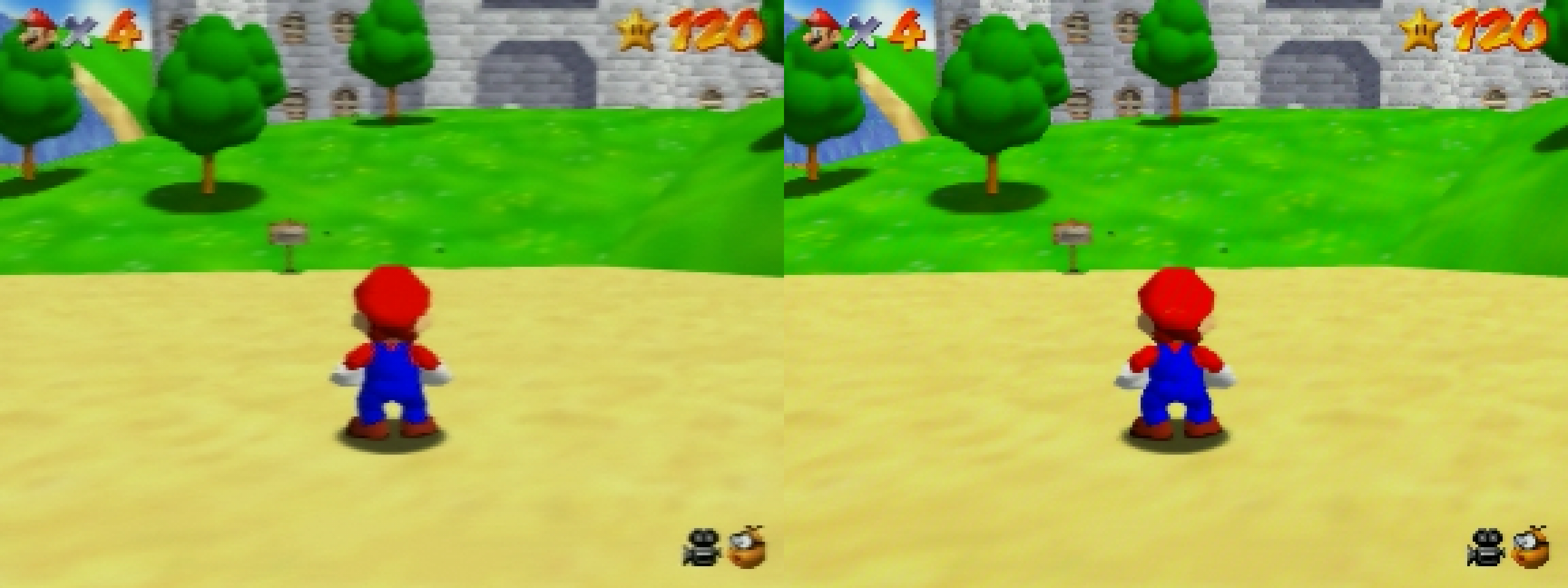
Here’s another edit this time showing composite on the left and s-video on the right. With the s-video you can clearly see the lines on the red and blue of Mario’s clothes.
Interesting, I guess that makes sense. I had a feeling it might potentially be a limitation of the OSSC but wasn’t sure.
If it was possible, I think it would’ve been ideal if you had control over the horizontal multiplication in some way, maybe as a separate setting or something. At least then, it would help to account for particular resolutions with PAL and NTSC.
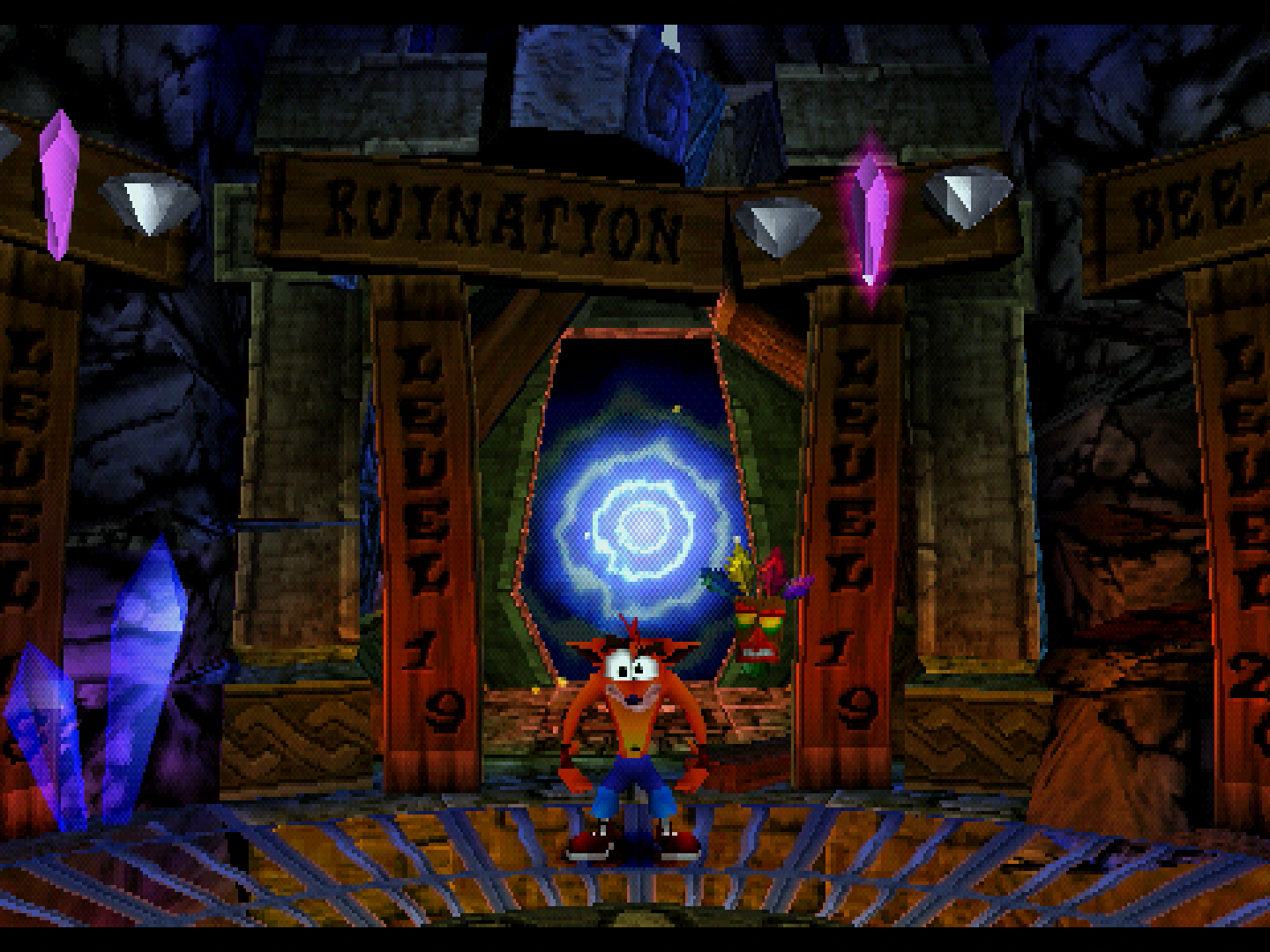
Speaking of PAL, I recently found out that I can 4x scale 480×270 (512×288 cropped) to 1440×1080 (3x horizontal and 4x vertical) by using the 384 optimised mode, which gives me an integer scaled 4:3 aspect ratio. Whereas, the 512 optimised mode can only 4x scale 480×270 to 960×1080 (2x horizontal and 4x vertical), which doesn’t work. This is why I think having control over the horizontal multiplication would help in instances like this.
Here’s a screenshot I took showing a 512×288 game at 4x using the 384 optimised mode:
Yeah, there are scrolling diagonal lines that show up prominently in primary colours, such as reds, greens, and blues. It only seems to happen with my N64, as I’ve tried the same S-Video cable on my SNES and had no issues. So I’m assuming it’s an issue with the N64 and not the Koryuu itself, but I honestly don’t know. I’ve also read posts from other people experiencing the same thing, so I know it’s not my N64 in particular.
-
This reply was modified 1 year, 5 months ago by
 LaminGaming.
April 2, 2024 at 10:01 AM in reply to: Left audio channel is slightly quieter using the 3.5mm jack (Av2 IN) #61072Also, do you have any recommendations on where to get a replacement of the PCM1862? I also live in the UK if that helps.
March 27, 2024 at 5:44 AM in reply to: Left audio channel is slightly quieter using the 3.5mm jack (Av2 IN) #60971Yes, it’s a v1.6 board. Thank you for letting me know that it’s most likely the PCM1862, I guess I’ll have to try replacing it with a new one at some point. However, I did have the thought of maybe trying to somehow bypass the audio input for the AV2 and use the AV3 audio input instead, as I never use VGA with anything. Though, I wasn’t sure if that was possible. Replacing the PCM1862 is probably easier.
As for why the sound issue happened in the first place, I think it’s because of the faulty Mega Drive 1 I was testing that had a missing right FM channel from the YM2612 chip. So maybe that somehow affected the OSSC.
March 15, 2024 at 6:47 PM in reply to: Left audio channel is slightly quieter using the 3.5mm jack (Av2 IN) #60715@marqs: Sorry to ping you, but would you happen to know what’s going on with my OSSC?
March 13, 2024 at 4:03 AM in reply to: Left audio channel is slightly quieter using the 3.5mm jack (Av2 IN) #60667I’ve replaced R49 and C125, but nothing changed. The only other thing it could be is possibly the sound chip (PCM1862).
March 12, 2024 at 11:20 PM in reply to: Left audio channel is slightly quieter using the 3.5mm jack (Av2 IN) #60663I still can’t work out what the issue is, so I decided to get some sound recordings directly from the OSSC to share what I’m talking about:
• NORMAL.wav – Is using stock settings.
• CHANNELS SWAPPED.wav – Has only “Swap left/right” turned on.
• MONO MODE.wav – Has only “Mono mode” turned on.
https://drive.google.com/drive/folders/1RH31R0fcuK88GHWqHAbth2o4oX4zhUQO?usp=sharing
I’m thinking maybe it’s an issue with something on the OSSC’s board, a faulty resistor or cap perhaps?
Edit: I used my audio probe and found that R49 and C125 (left channel) are quieter than R51 and C123 (right channel), so maybe R49 or C125 is the culprit… I also found that switching the jack switch to Av1 OUT had no issues
-
This reply was modified 2 years, 7 months ago by LaminGaming.
@marqs I’ve finally been able to get the N64’s 480i to display a picture with the new firmware. Connecting the composite RCA to the Y (green) RCA input on the OSSC says 480i is 525-i at 61.14 Hz. So it was definitely an issue with the Koryuu, I’ll try updating the firmware when I can, to see if that fixes the issue.
Another issue: I’ve noticed that there is an issue with 480i at 4x, the resolution switches to 1280×1920 instead of being 1280×960 when I change the “H. s.rate frac”. Not sure why this happens, but I thought to let you know.
-
This reply was modified 1 year, 5 months ago by
-
AuthorPosts
