
onthewaveagain

@onthewaveagain
Forum Replies Created
-
AuthorPosts
-
It seems the adapter was not plugged all the way in. I did not get those artefacts anymore.
I have not tried on a different screen. However, I have tried to feed the morph4k with same signals on the same screen and I do not see these lines. I also get the same when I use the ossc as a digitiser in combination with the morph hence I suspect the problem is with the expansion card.
I will try to capture the issue.
-
This reply was modified 3 weeks, 1 day ago by
onthewaveagain.
Thank you marqs
Adaptive LM, but it looks like the problem is with the output resolution. with 5x the garbage is not visible while with the 6x resolutions it is visible (with both 2560×1440 and 1920×1440).
Also, I noticed the function Marqs implemented to rescale when you open the core OSD does not work properly with the Gameboy core. Picture shifts right completely.
works well here too on my mister with DV1
I remember raising this a few months back. Marqs said : “Regarding SNES core, it doesn’t have de-jitter option so Pro hardware cannot maintain framelock since the number of VCLKs per frame doesn’t remain constant. You thus have to use scaler mode with framelock off (it might remain stable even with framelock option on but under the hood the lock cannot be kept). I’ll need to look into integer scale of 224 height.”
What I found strange is that it does not stutter and go black when I use the MiSTer RGB output with Adaptive Line.
-
This reply was modified 1 year, 9 months ago by
Just as a FYI for all OSSC pro users, MiSTer cores with DV1 support are finally rolling out.
PS1, Lynx and GBA have been released. GBA does not look to crop correctly (240×160). Lynx is ok but not centered.PS1 is good.
-
This reply was modified 2 years, 7 months ago by
Marqs, I actually noticed that Main Menu core was supposed to support SPD info frame, There was a public release early Jan. Shouldn’t auto centre and crop work already OOTB with your implementation ?
Re specific builds for other cores, apart from the Megadrive core you linked, can’t find them anywhere. Do you know where should I look ?
Post by Sorgelig » Wed Jan 10, 2024 3:23 pm
Main:
– N64 support improvements (Rikard Bengtsson, trbocode, Marcoen Hirschberg).
– Added controller dead zone configuration (Rikard Bengtsson).
– Fix listing inside zip.
– video: send SPD info frame in direct_video mode (for external scalers).
– other fixes and tweaks.-
This reply was modified 2 years, 7 months ago by
Just tested and yes indeed with this beta core, no need to tweak the 240p HDMI sample. picture is scaled and centered properly.
-
This reply was modified 2 years, 8 months ago by
That was what I suspected and yes I saw the comment about the menu on the Github issue thread you shared.
Will give the above a try and probably wait for the feature to make it to official release. But overall think it is a very nice feature and glad to see OSSC pro will support it.
Thanks Marqs
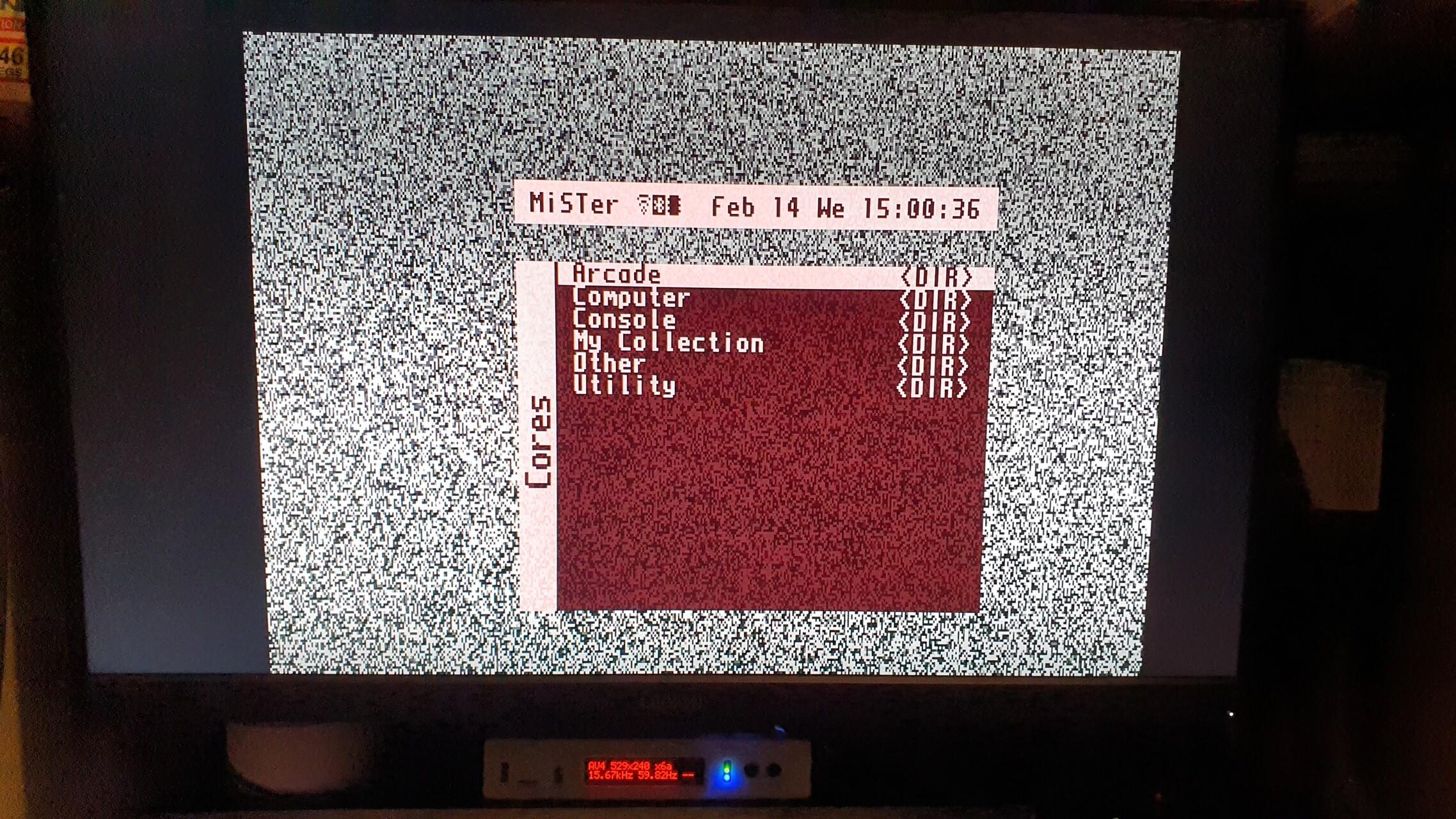
With Saturn core 240p
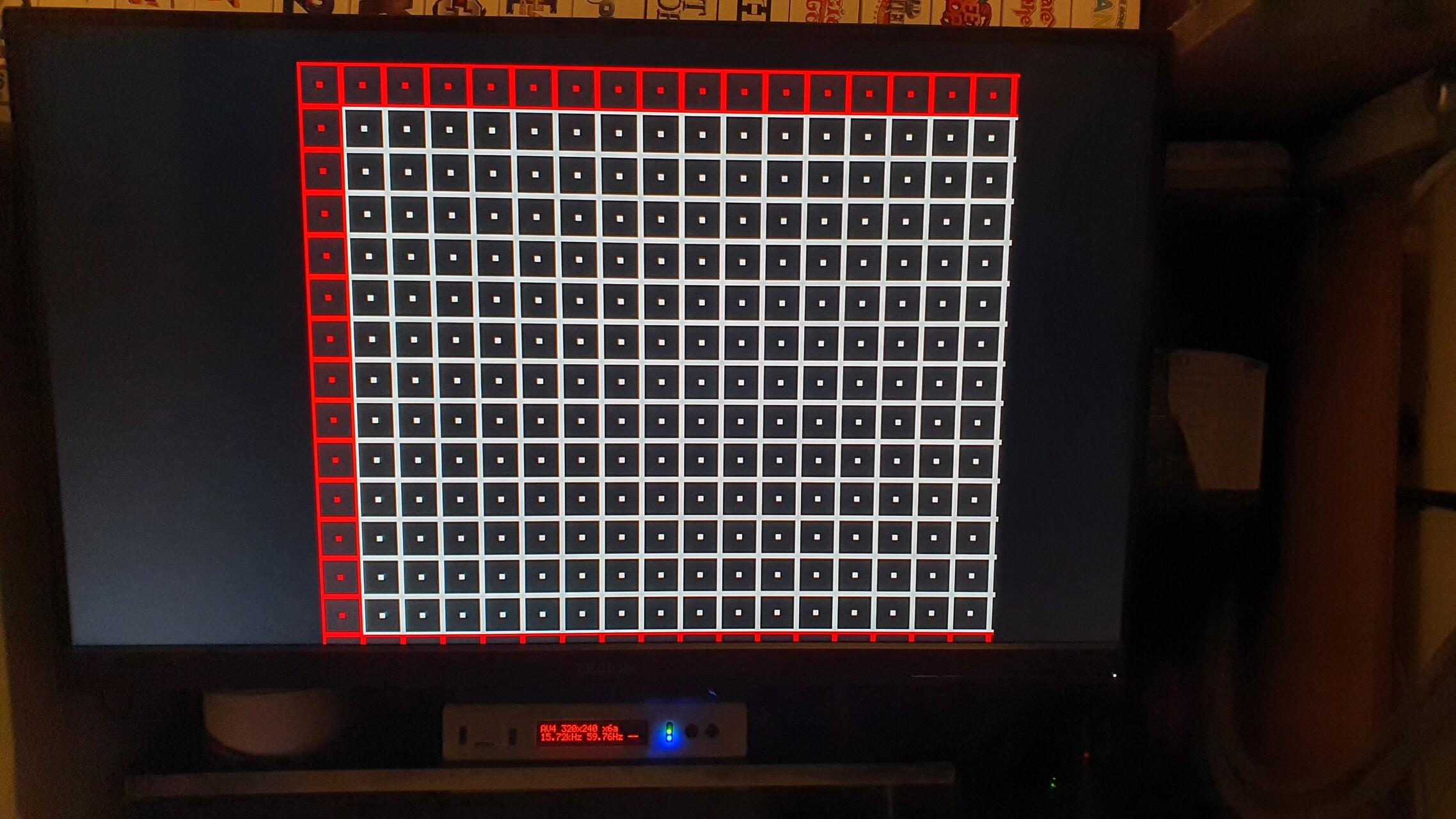
Even Main menu is not scaled and centered properly even though it is 240p. Notice the gap at the top and the menu not centered horizontally on a 1440p monitor?
OSSC fw 0.73
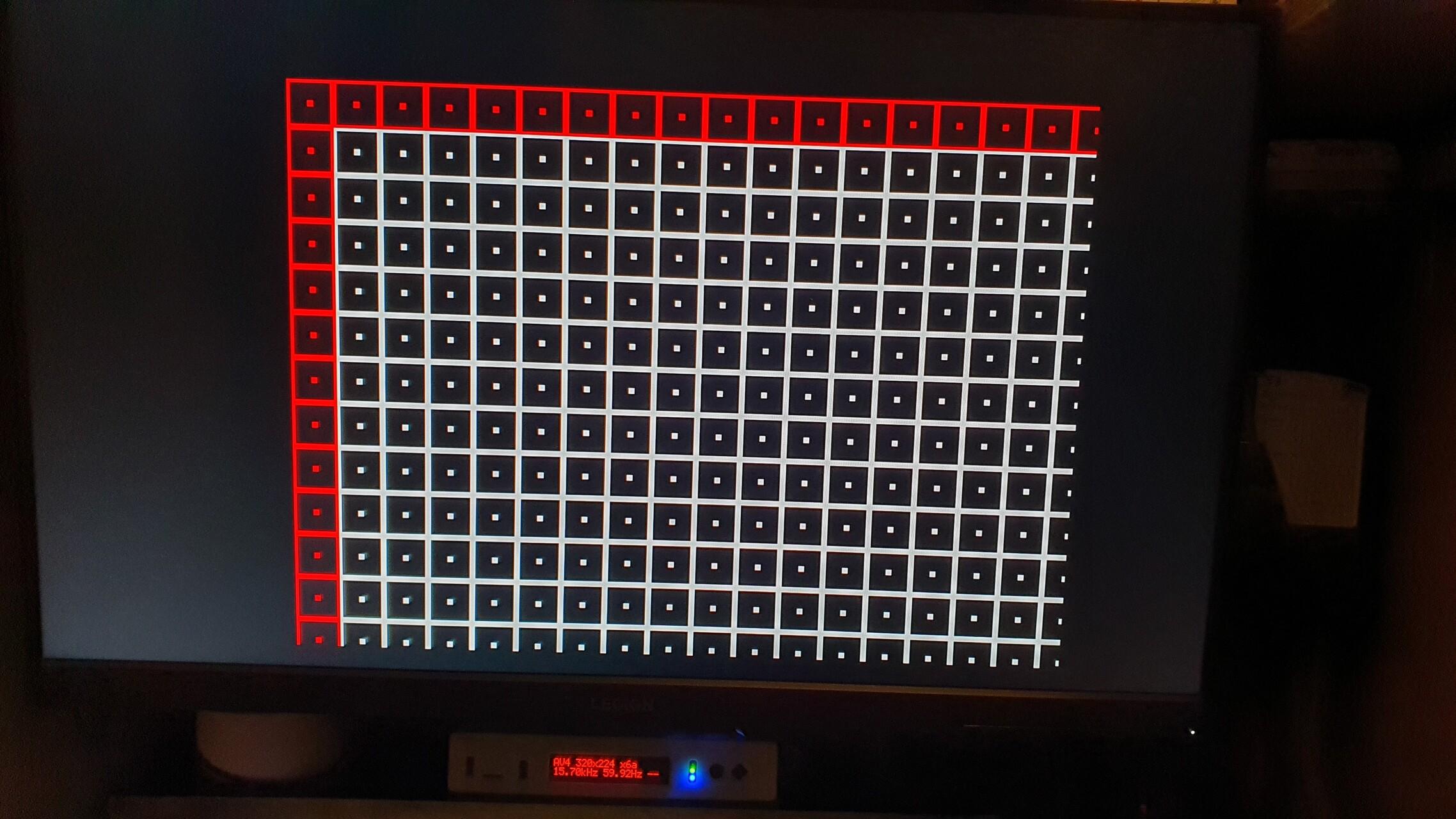
Update_all script ran yesterday night on MiSTer so Main and cores should be up to date. See below 240p suite grid on Megadrive – N core.
Tested with Neogeo core and it is the same.
Both actually look to be 224p btw
-
This reply was modified 2 years, 8 months ago by
Phase is perfect and auto indeed but picture is not properly centred and clearly off. Have to manually change the V and H positions in the the 240p HDMI settings. Have to redo it every time the core resolution changes.
Also, re SNES, I noticed I do not get intermittent black screens if I output to scaler . But in that case, with scaler options, it looks like I can’t get it to integer scale at 1440p, it always seems to use Nearest and fill the vertical screen.
-
This reply was modified 2 years, 8 months ago by
<p style=”text-align: center;”>Ah ok, indeed missed that. Will do that and report back if any issue. Thank you</p>
-
This reply was modified 3 weeks, 1 day ago by
-
AuthorPosts


