
Tony359

@tony359
Forum Replies Created
-
AuthorPosts
-
Hi @arebokert
Thanks for your kind words! We have exactly the same device, I went to leave a feedback on Amazon and I found your comment about the 5V on OSSC 🙂
I couldn’t be happier with the “Hagibis” so far, the 5V backfire is thankfully not the end of the world.
I made a video where I go through this issue with my MS2130 adaptor and mod the OSSC to overcome the issue. Let me know what you think! 🙂
Thanks @marqs
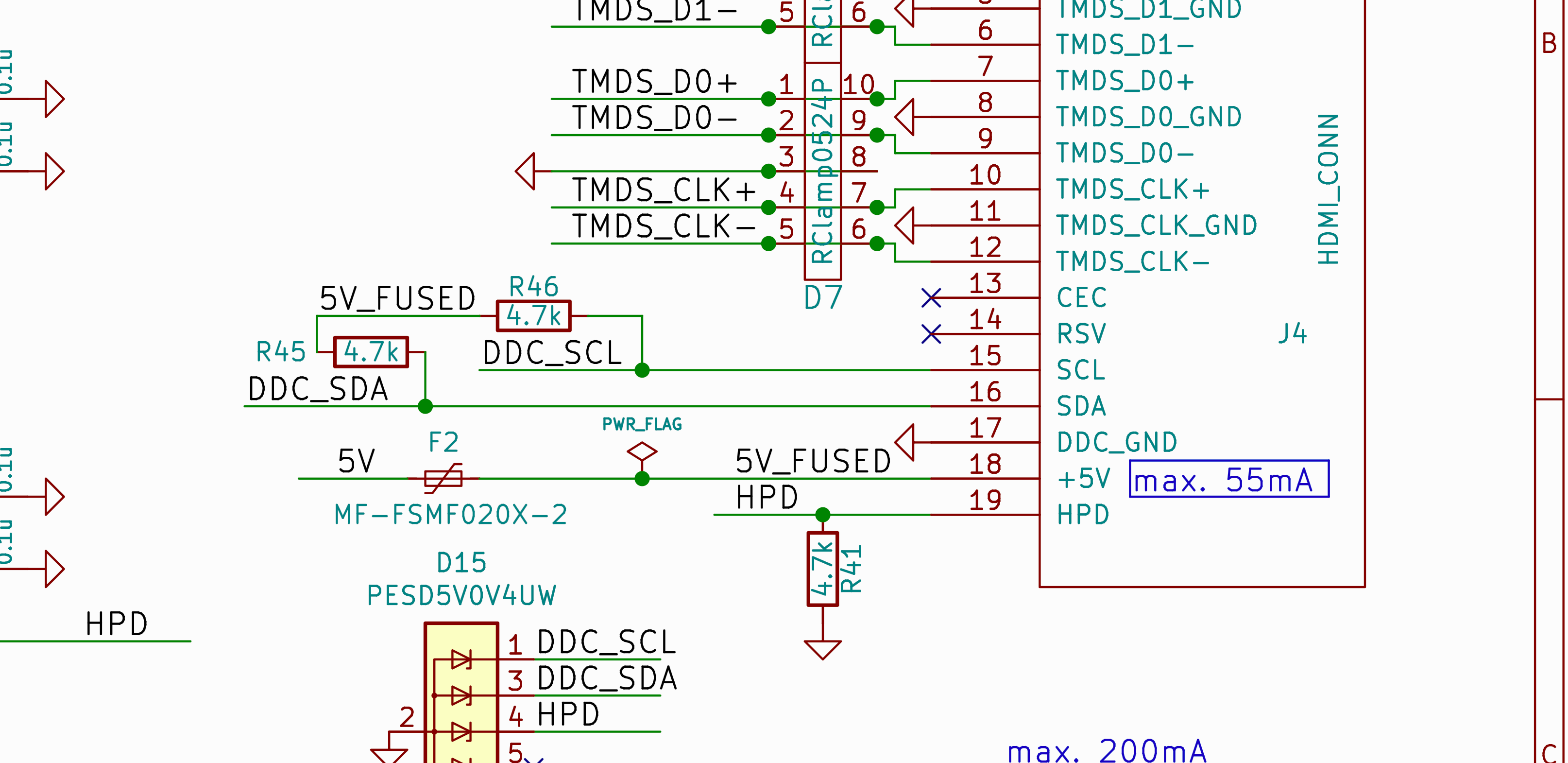
I’ve now modded my OSSC, I’ve stuck together the fuse and a shottky diode I had in my stash. It works fine – and 5V output is still 5V which is weird as the diode has a 0.15V voltage drop, I thought I read 5.0 before the mod so I am puzzled I now read 5.0 after the mod 😀
In any case I also tested WITHOUT F2 (empty pads) and the dongle I am using (branded Hagibis if I remember right) had no issues displaying an image. So I’d imagine that removing the fuse altogether might work if nothing else needs to be used as a display.
I’ll publish a short video where I show the mod, with the admin permission I’ll post the link here.
Ok so with “disconnect the pin on the capture device” you meant opening the dongle – it’s actually a very good dongle I found online for not much and I’d rather leave it alone. 🙂
I think a diode would be best – what is the purpose of that 5V coming from OSSC? Is that to signal the receiver that an HDMI cable has been plugged?
Thanks!
Thanks @marqs
I’ve unintentionally left the OSSC powered via HDMI for a little while the other day and it stayed powered. The polyfuse you mentioned is F2?
The capture device is a dongle, I’d rather not try to disassemble it. What would be the downside of adding a diode – or removing F2 entirely? Isn’t that 5V used as “hot-plug” signal to tell the receiver there is something plugged in?
Can I bump this thread please, the OSSC is 100% being powered by my HDMI capture device! 😀 Is it ok to fit a small diode on the 5V line of the output?
Thanks!
Fantastic, thanks!
Thank you so much, I’ll give that a go. (Edit: I tried and unfortunately it doesn’t help)
A friend of mine has an OSSC (hw rev 1.8) and he tells me he’s never had this issue – maybe just a couple of times. It seems to be quite common on my unit though. Besides that, I have no issues.
Could it be something HW related? My friend plays with DOS resolutions all the time 🙂
-
This reply was modified 3 months, 2 weeks ago by
Tony359.
This is a very old thread I opened but it’s the same subject.
I’m still seeing this issue: the OSSC shows a locked input but the GREEN power on light is turned OFF and I have no output. If I unplug and re-plug the VGA cable (or if I toggle a different input and back to the original one), the display shows the very same locked input but this time the green LED is on and I have an input.
@buckoA51 mentioned it was a 1.7 issue. Meanwhile I did mod my OSSC and upgraded to 1.xx firmware. Does that make it HW 1.8? Or does the 1.8 bring other improvements which can avoid this annoying issue? I spent an afternoon troubleshooting a system and turned out it was just the OSSC in need of a nudge 🙂I was on 1.21 and then downgraded to 1.12 but the same happened. I was testing Tomb Raider in MSDOS and OSSC would intermittently fail to show an output on the main menu or the main game. See picture below where the video is locked but there is no green light. Any advice would be appreciated!
Thanks!
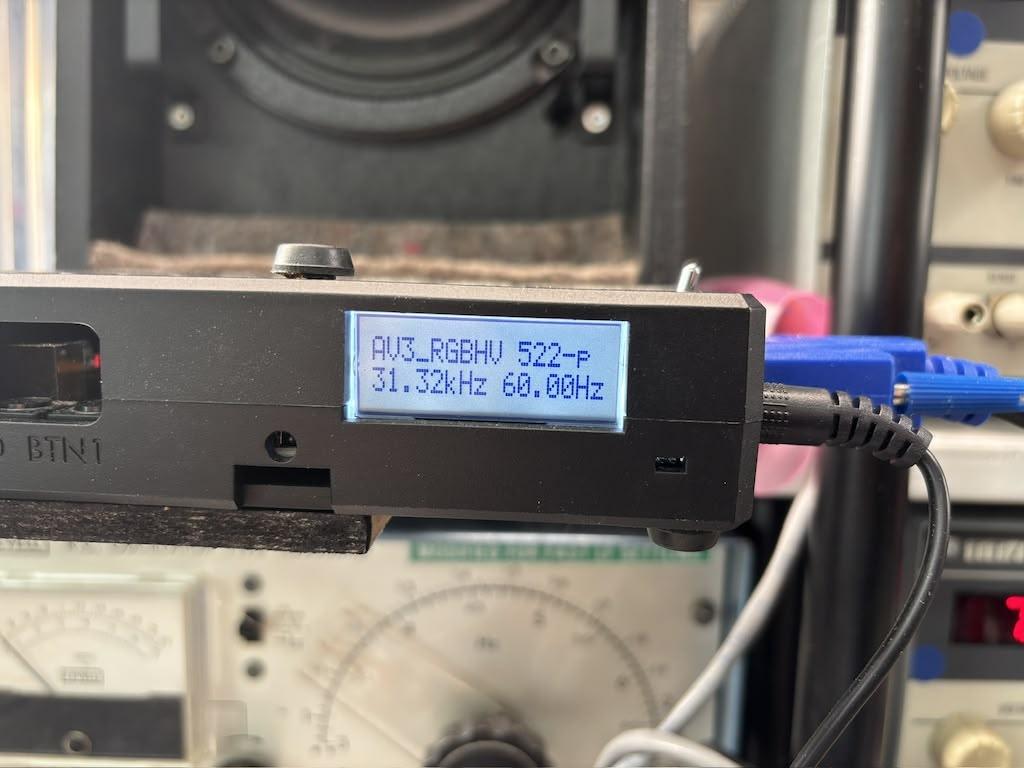
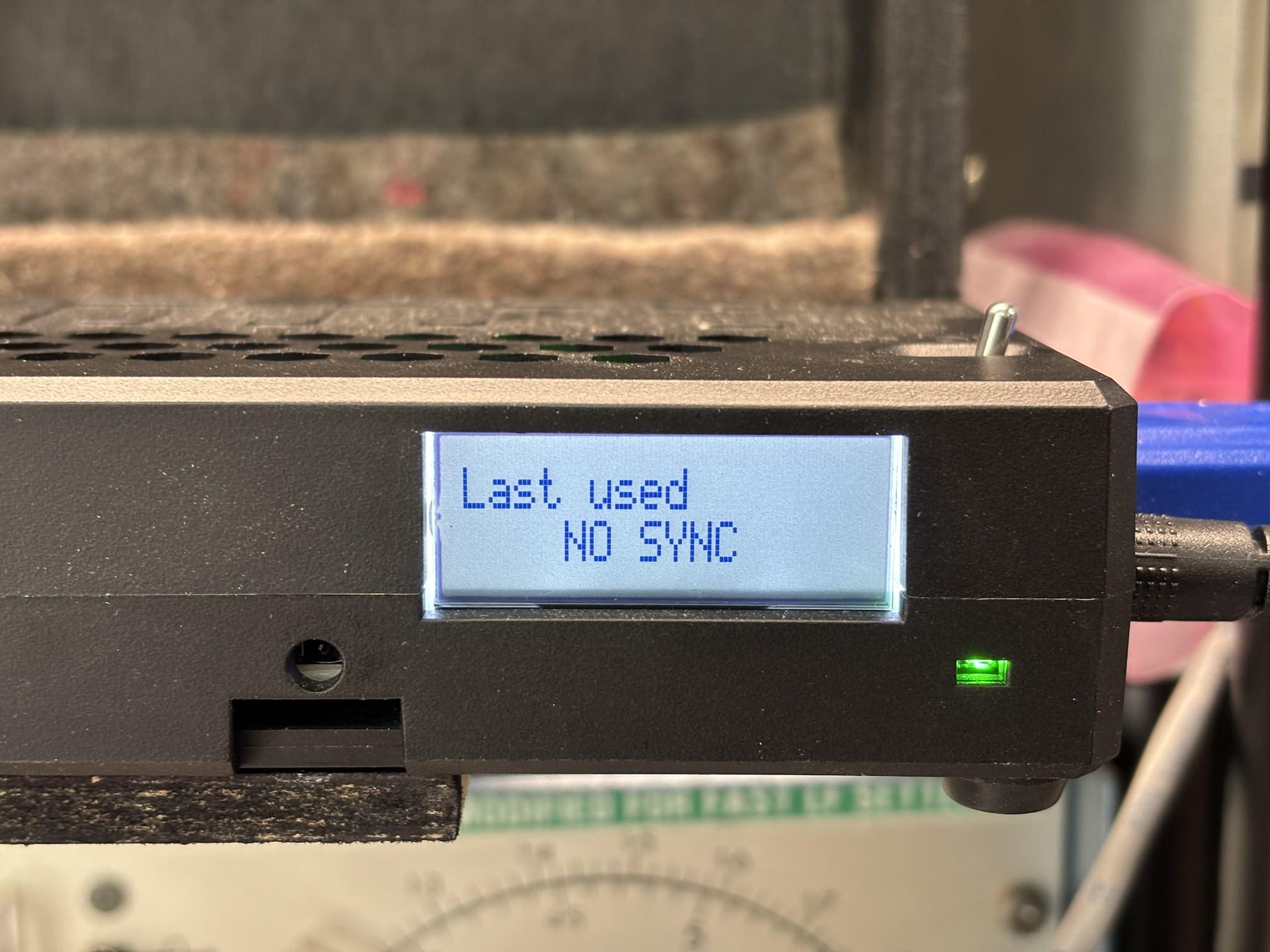
I’ve just flashed 1.21 (thanks @marqs !!) and if I set the power-on input as “last used”, it doesn’t seem to be working.
Upon reboot, the OSSC displays “last used” but doesn’t lock on the input. Every time, selecting AV3 from the remote restores the input.
If I set AV3 as “power on input”, it correctly starts on AV3. I believe I had it on “last used” with my previous FW and it was ok?
Am I doing something wrong?
When I flipped the switch and nothing happened, I was puzzled, I blamed the switch and unplugged the PSU and after a few seconds the screen started dimming.
I’d imagine maybe there is some protection in the dongle and power was cut because the OSSC was using too much power?I wonder if adding a diode would be a viable option. Mostly because I tend to power-cycle the OSSC to put the test pattern back on screen so I know my chain is working 🙂
-
This reply was modified 3 months, 2 weeks ago by
November 4, 2023 at 3:49 PM in reply to: Koryuu with Apple II and nonstandard composite signals #58594Thanks. I am in the UK, I believe this is shipping from Europe (sigh!) right? Shipping over the channel is not as easy as it used to be I’m afraid.
I’m also reading about someone having issues with the ZX Spectrum? Is that expected or something with that particular unit?
I tried uploading two pictures but I get a “broken link” – I tried resizing them first but I got a blank section. I didn’t want to flood the forum with tests so I typed instead!
Ah, so that’s a 1.7 known issue? Does it happen under specific conditions? I’ll check the link you provided, I have no issues modifying the PCB.
Thanks!
-
This reply was modified 3 months, 2 weeks ago by
-
AuthorPosts


