
Steve

@knightnz
Forum Replies Created
-
AuthorPosts
-
The newer revision of the RGBPi2 adaptor supposedly fixes some/all of the issues RRGB called out, but I tried feeding the output from an assortment of devices at 240p, 480i and 480p and I either got no image at all, or rolling sync. My assumption is that it is somehow deliberately designed to only work with ReplayOS, which is a real shame.
I’ve got a couple of HDFury 2 devices, both the dongle itself and the integrated cable solutions. I was hoping this adapter would give me a tidier solution than my current HDFury3 + VGA2SCART solution but it looks like I’ll be sticking with it for a while longer.
It’d be really useful to have an option for Y/C output but that’d mean losing my composite input on the expansion input board, any way to feed composite in via any of the other inputs? It’s important for me to retain my input for Lumacode from my NES 🙂
You can get versions of those audio extractors that have 3.5mm and/or RCA outputs built in, or even something like the StarTech HD2A which has -only- a 3.5mm output which doubles as an optical out.
I use a similar setup and my HDFury3 seems to cope just fine with whatever the OSSC Pro sends to it. I have the OSSC Pro feeding it generally 480i output which then goes from the HDFury3 into my PVM. I can try and remember to confirm what the DIP settings are on my HDF3 in case they matter if you’d like but I generally find it to be rock solid.
December 5, 2025 at 7:18 PM in reply to: Retrotink 4K\GamesCare SCART auto-switching utility. #67964If there is comms available via the USB interface on the OSSC Pro, then I’ve got one of those as well so should be able to make an OSSC version of the script easily enough. I don’t have a Morph so can’t help you there. 🙂
Thank you for the update Marqs!
Saving profiles to SD card seems to hard lock the interface.
-
This reply was modified 1 year ago by
 Steve.
Plug the lumacode RCA into the Y (green) connector on the OSSC Pro.
Set AV2 to RGsB input mode.
At this point, you should get an image but it’ll be a scrambled mess. If you get nothing, check the continuity from the chip-side of the PPU to the PCB side of the Lumacode board.
Assuming you have an image, you’ll then need to do the following:
Set the OSSC mode to “Line Doubler – Adaptive” mode
In the “AV1-3 video in opt.” menu – enable Lumacode and set it to “NES”
In the “Line multiplier opt –> Adaptive LM opt.” menu, set “240p/288p mode” to “SNES 256col”
At this point you should have a crisp stable image but the colours are probably messed up.
Press the Phase button on the remote and change Sampling Phase to around 16 degrees, or until the colours are near enough correct.
You can then tweak the G/Y Offset in the “AV1-3 video in opt.” menu to try and fine tune the colours and get rid of shimmering.
This is the process that worked for me. The image is very sharp although there is some vertical noise, my console has not been recapped so it could be related to that, or the original NES PSU, or any other number of things, but generally speaking, the image is pretty amazing.
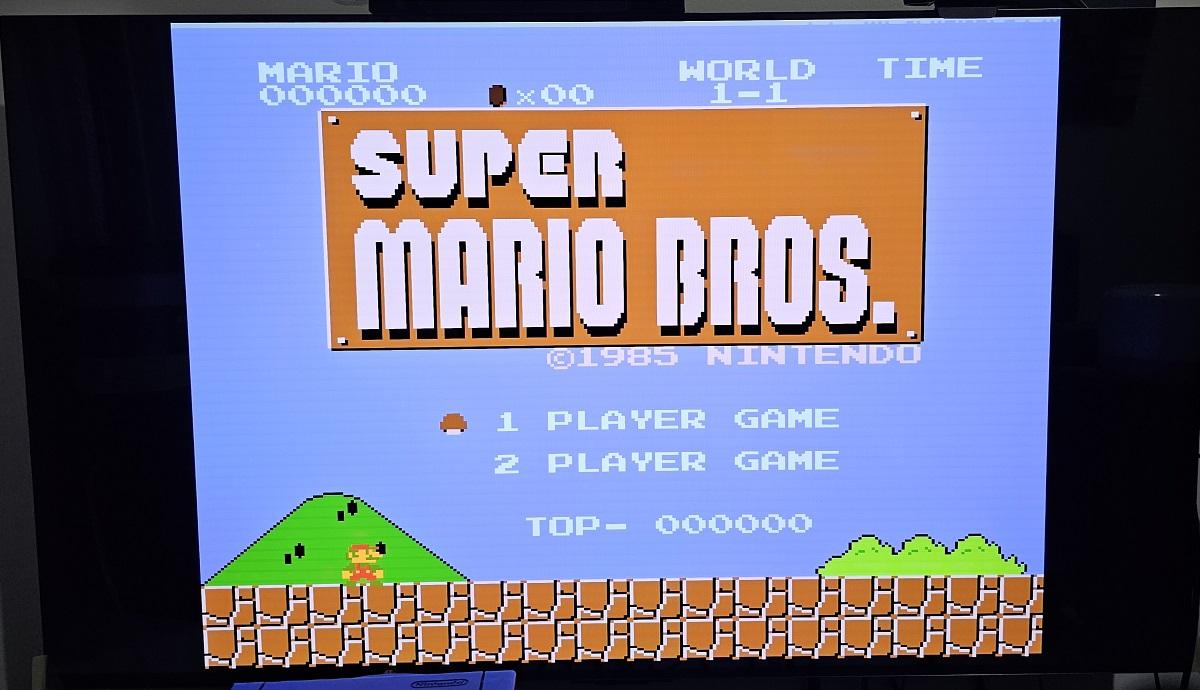
More details relating to Lumacode: OSSC Pro – Classic Console Upscaler Wiki
-
This reply was modified 1 year, 5 months ago by Steve.
-
This reply was modified 1 year, 5 months ago by Steve.
-
This reply was modified 1 year, 5 months ago by Steve. Reason: Provide solution details
-
This reply was modified 1 year, 5 months ago by Steve. Reason: Add image
-
This reply was modified 6 months ago by Steve. Reason: Added Wiki link for future reference
-
This reply was modified 6 months ago by Steve.
Same issue here, Lumacode is enabled in settings but I’m getting no image whatsoever.
-
This reply was modified 1 year, 5 months ago by Steve.
Sorry to necro this, but the RGC cable does work, contrary to what he says, as that’s what I’m using with mine.
(Sorry, I thought I’d replied to this days ago, looks like I didn’t notice that the forum had starting blocking my duck.com addy)
Yeah, I had the default input set to AV4 (I forget why as I’m not currently using that anyway), and that’s when I get the “no output” behaviour, as I now have it with it defaulting to the TP output, it’s working just fine.
Thanks for trying it. I’ve tried cycling through all 3 modes, makes no difference.
I did a settings reset, that didn’t help either. I also tried a different monitor via direct HDMI connection, that behaved the same way as well, so looks like it’s a pecularity of my unit.
What I’ve done as a workaround is set the startup mode to the Test Pattern, looks like that’s enough to kick things into life as that will display automatically at startup, and if I switch to composite at that stage then it works straight away. I’m ok living with that.
-
This reply was modified 1 year ago by
-
AuthorPosts
