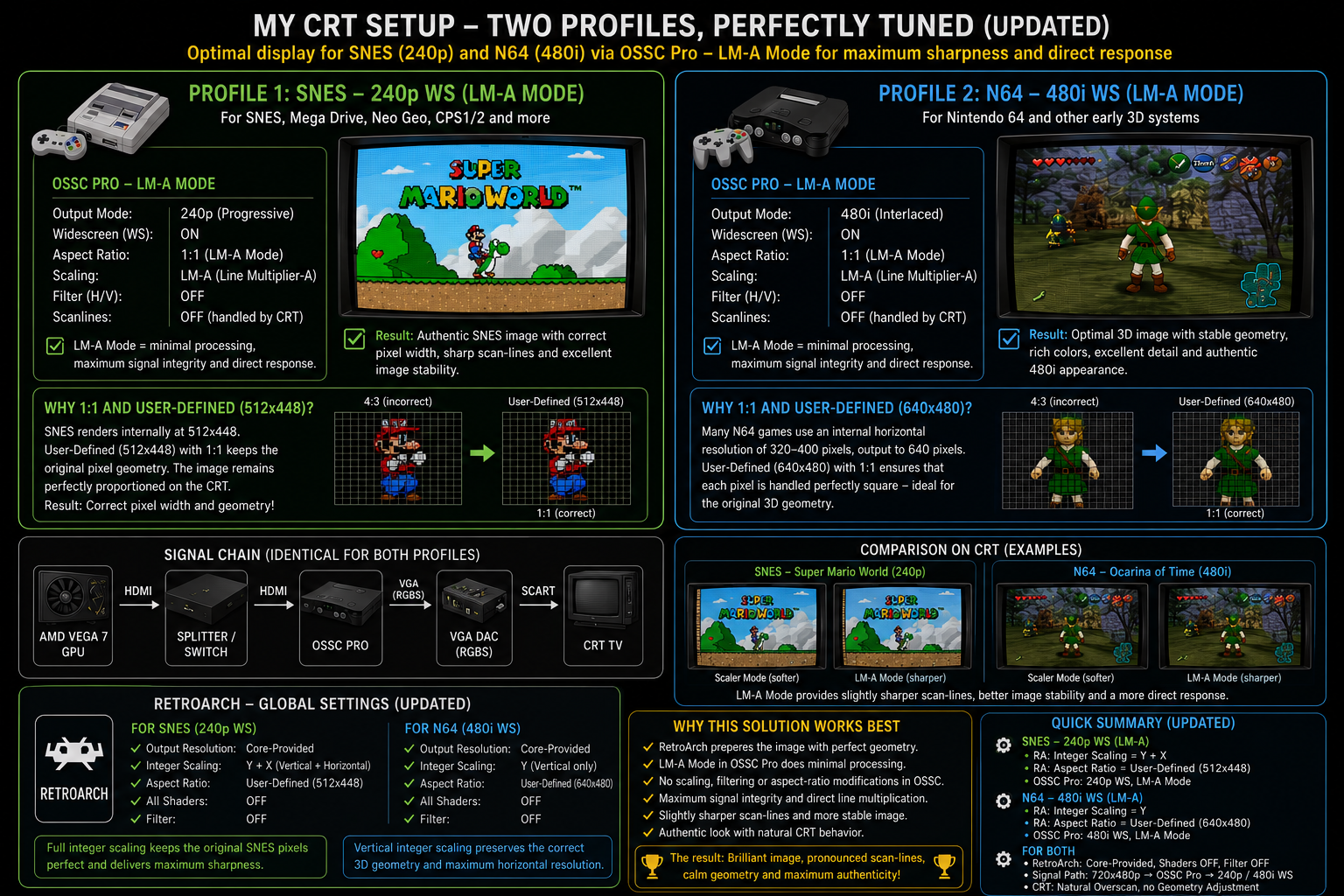
Kekstier

@kekstier
Forum Replies Created
-
AuthorPosts
-
August 16, 2026 at 8:08 PM in reply to: When is AV Input/Output Adapter (SCART) for OSSC Pro available? #70466
Ok maybe I cannot say that I thinking because my english is only “school english”… (i come from germany!)…
Ok, it supposed to be, that you choose the certain channel with the options, either RGBs or Ypbpr … so it’s would be perfect….because both CRTs can keep plugged and one profile for one CRT with RGBs and one profile for second CRT with Ypbpr … Great work, I will test that!
August 16, 2026 at 4:26 PM in reply to: When is AV Input/Output Adapter (SCART) for OSSC Pro available? #70464I want to connect my two CRTs via this adapter…
The first CRT would be connected by SCART, the second one would be connected by YUV…My question is:
Both are don’t run synchron, i want to use this adapter for only connection and run one of them! Would become the quality worst, when I connect both CRTs at the av adapter? This is a very technical question and i have no idea, how i get the information besides here!
It’s even possible to connect both at the same adapter?August 15, 2026 at 9:06 PM in reply to: When is AV Input/Output Adapter (SCART) for OSSC Pro available? #70455I bought the new av-adapter from VGP for the ossc pro… it’s fantastic… I watch the video and maybe I become sure to buy the right extra device…
Since I had the extra av-extension-card, i switch the switches SW1 to SCART_O and SW2 to SCART_O….
I convert with it the hdmi signal from mini pc to scart signal for CRT!
If you are to the end of the capacities of the scaler mode, you can in 720p in advanced timings in output mode (“overclock”) to H.active and V.active maybe -10 or so (e.g. V.active = 230 works in most of the cases), more the picture is also cropped … i would keep the original timings for the output mode and set the rest via service menue of your crt!
Hello,
I had the same “problem” with my signal chain (mini pc via hdmi -> ossc pro -> panasonic crt [consumer tv] via scart)…
You would can solve it, if you set your pc to 720p in tv norm (in the advanced dialog of windows 11 pro) and use the scaler-mode, which are able to shrunken the picture, when necessary! The 720p signal was noticed by ossc pro and can convert easily to 480p / 480i…. But the scaler-mode is for me the absolut “ultima ratio”, when nothing is possible!
But I use more the A-LM-Mode, scaling is set by the emulator and the service menue of the CRT!For e.g. SNES in 720p you have to set the aspect ratio to the original pixel x 3, in this case: 256*3 and 244*3… so the original picture by the mini pc has no overscan! For other platforms you have a same approach!
Second the ossc pro has to set to LM-A Mode and Line-Dropping to 480p, maybe you have to set the position (porch) to take the picture to the middle of the crt area…
Third you have to adjust possible overscan via the aspect ratio settings of your crt (mostly “aspect”, “full / total”, “zoom” or at the one!) or you use the service menue of your CRT, nearly every CRT company has a service menue access for engineers or technics… in the geometry parameters you can shrunken the picture to the wished area!I have only 1 cm (1/2″) overscan to every side! Be aware when you see trash pixel on the borders of your picture or maybe a blue line on the edge of the crt area, when the signal area is too small!
-
This reply was modified 2 months, 2 weeks ago by
Kekstier.
Hello,
Use a simple SCART-to-VGA Adapter! Because your PS-One has indeed only composite output, you can use for example this:
RetroUpgrades SCART2VGA Adapter (active) or cheeper like e.g. from DeLock, etc. (passive) …
Maybe you need also a RCA-to-SCART Adapter, a simple from DeLock, Hama or so is enough!
Then you can via VGA in your OSSC and its configuration and specification are more convenient… i have thought the technical specification of the PS-One is to special for the OSSC (and maybe also die ossc pro!)…
Good Luck
SebastianEverything produces those, whether it’s other platforms’ sound or watching youtube, listening to musik or watching a movie in Windows 11.
It’s a latency issue for sure… Look for a option or feature to set the latency of your soundcard / soundchip… your latency is to low so the sound clips or stops… set the latency to maximum for test…
With the “great” windows 10 / 11 pro something you can’t set the latency in default, you have to use tools to go deeper in the settings of your audio output… seek in google for: “latency setup, latency setting etc. pp. “I had the same issue with retro arch in windows 11 pro and n64Glide (the emulator driver for n64)… the main solution is to set the “audio synchronisation” to ON… and then you have yet audio clipping and distortions you set the 2 parameters, which control the audio synchronisation, so long until your distortions are gone… Buffer for audio synchronisation is in default 64 ms, but when you have with active audio synchronisation distortions yet, you set it to 128 ms or higher! Maybe you get a bigger input lag in sound, for my opinion in 128 ms is not recognizable…
When this would not help, you can try to synchron cpu and gpu, find in the video section of retro arch… this force, cpu and gpu are completely synchron… (the cause for audio clipping and distortion are that the cpu is faster or slower than the gpu in most of the cases)When you emulating N64 via PC, maybe one trick is perfect:
- you have to set the “loudness equalization” to ON (under sound effects) in windows 10/11 OR set for N64-core of emulator the volume control to minimal gain (mostly min. -12 dB),
- set in the emulator the audio synchronisation to ON, switch between the audio driver “WASAPI” or “Windows Mixer”
- set in OSSC Pro the parameter “Pre-ADC gain” to -12 dB, set the audio source for HDMI (AV4) to AV4 (digital), to make sure, that the sound come from HDMI output of your PC OR when you go via other input, set the 3,5 mm jack correct under “3.5mm jack assign” in audio settings of ossc pro,
- set the volume control of your CRT to the wished level
I’m not sure what you mean when you say “i have no benefit!”.
Optimal modes are there for upscaling 240p sources, they aren’t available when processing 720p.
For SNES:
I set for 240p modes directly in LM-A opt. the columns number to SNES 256 cols… this was that, I want to say!For N64:
For 480i modes I use the columns number to N64 512 cols!I have found lately, that you can set the columns or sampling for your source or mode in LM-A! But it’s excellent, this option was implemented!
A sync combiner is not necessary for the OSSC Pro as you can specify composite sync output through the menus.
You’re right, a important factor and nice feature!
But some sources tell me, that it’s better to combine directly “before” the signal enter the scart jack as I combine directly in ossc pro!
So I deactivate the combiner in ossc pro and the vga-to-scart adapter do the task! (I had the adapter before I got a ossc pro, so I want to use it!)
But the optical difference is very minimal… RGBHV as setting in ossc pro (so without combining) seems in my signal chain more calm and a bit sharper…But my signal chain is also very specific… I use the AV-VGA-Extension to build me a true RGB signal via “VGA-Bridge” with my SCART-TV (which support RGB)!
-
This reply was modified 4 months, 2 weeks ago by
I hear about “256×240 optimal” mode, but i can’t find that… maybe in my condition of hdmi input not available… i don’t know!
Ahh I see, the pixel reduction reduce also the vertical lines… this is a good point… oki…. 160 lines are not enough, i see!
Theoretically, i can send 720p to a ossc pro… so i get 1280 / 3 = 420 cols and 720p / 3 = 240p lines…. but i have no benefit!You are right, the KI thinks also, that the number of cols is not important or relevant for gaming on a crt…
My interesting “trick” is to reduce near pixel perfect from 720 x 480p -> /2 -> 360 x 240p with “shrunken” picture in retro arch (512 x 448px) … i think meanwhile, that there wasn’t an optimization!Thank you!
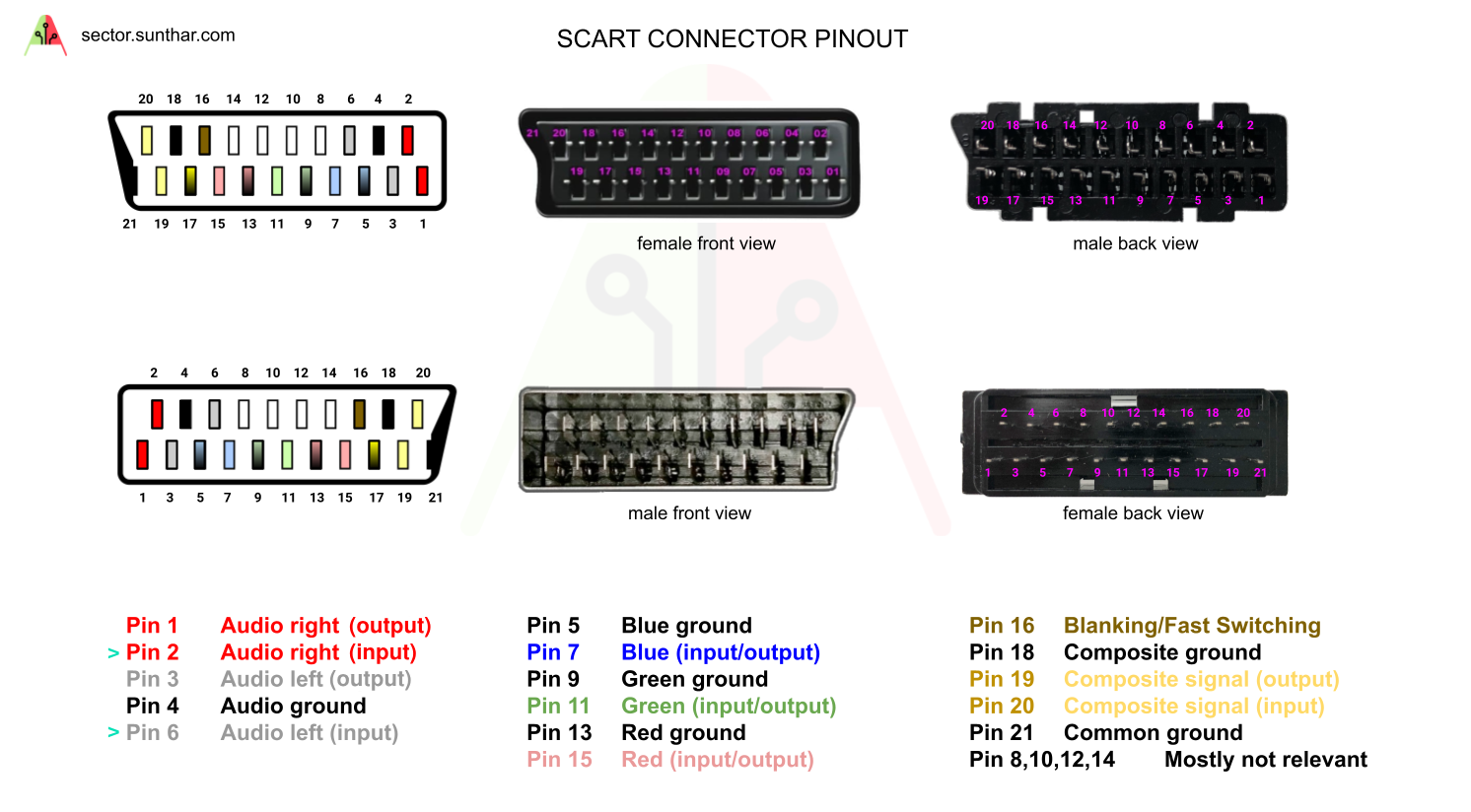
I use all pins from my RGC SCART cable, there was problematic, when you remove / kill some important pins and parts of the signal… Use only “total” cables or plugs…
It supposed to be a contact problem with your pins, maybe the sync pins or pin 16 or 18 or something! (picture below!)
-
This reply was modified 2 months, 2 weeks ago by
-
AuthorPosts